

Roles and responsibilities
Setting up academics first
Before you can schedule classes, set up the academic foundation from Academic Setup: academic years and terms, and rooms. These are the building blocks a schedule references.Building the timetable
1
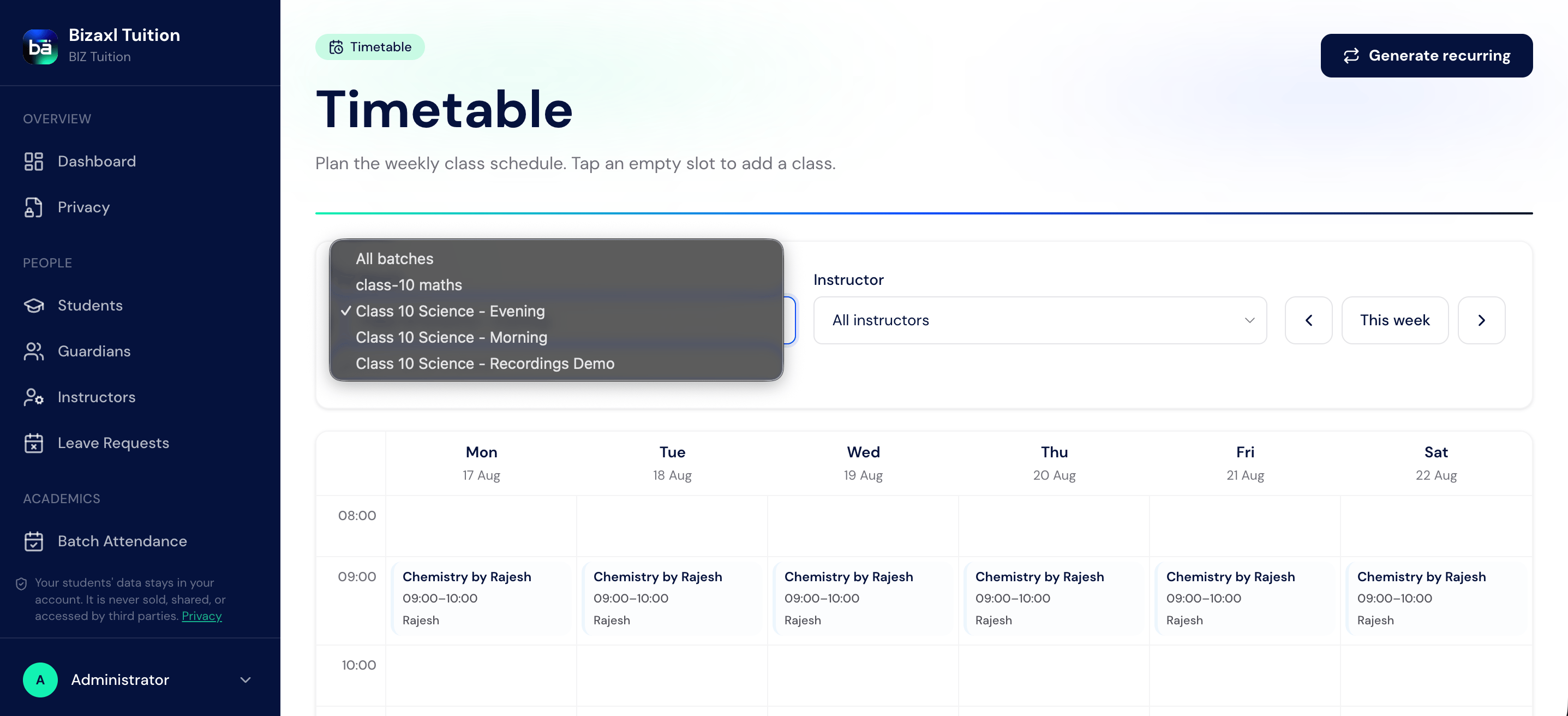
Open Timetable
From the staff sidebar, choose Timetable.
2
Add a class schedule
Create a schedule entry: pick the batch, course, room, day, and time.
3
Make it recurring
Use the recurring option to repeat a class across the term, rather than adding each week by hand.
4
Adjust as needed
Update or remove a schedule entry whenever the plan changes.
Recording attendance
1
Open the roster for a class
Instructors open the batch roster for the session they are teaching.
2
Mark each student
Mark students present or absent. The system remembers what was marked so you can review or correct it.
3
Save
Once saved, attendance is recorded against each student for that date and session.
Attendance field guide
Keeping guardians informed
Each day the system sends guardians an absence-only digest for their children. It reports only absences, deliberately, to respect data-minimisation privacy rules: there is no behavioural profiling, just “your child was marked absent”. Guardians are not spammed with present-day confirmations.Upstream and downstream dependencies
- Upstream: attendance needs a batch with enrolled students and a timetable to schedule the session.
- Downstream: attendance feeds compliance reporting, the absence digest to guardians, and (for online sessions) instructor commission.
Best practices
- Prefer recurring schedules. Entering a term of classes one week at a time is error-prone; set the recurrence once.
- Mark attendance the same day. Same-day marking keeps the guardian absence digest accurate and timely.
- Correct mistakes promptly. If you mark the wrong student, fix it before the daily digest goes out.