

Roles and responsibilities
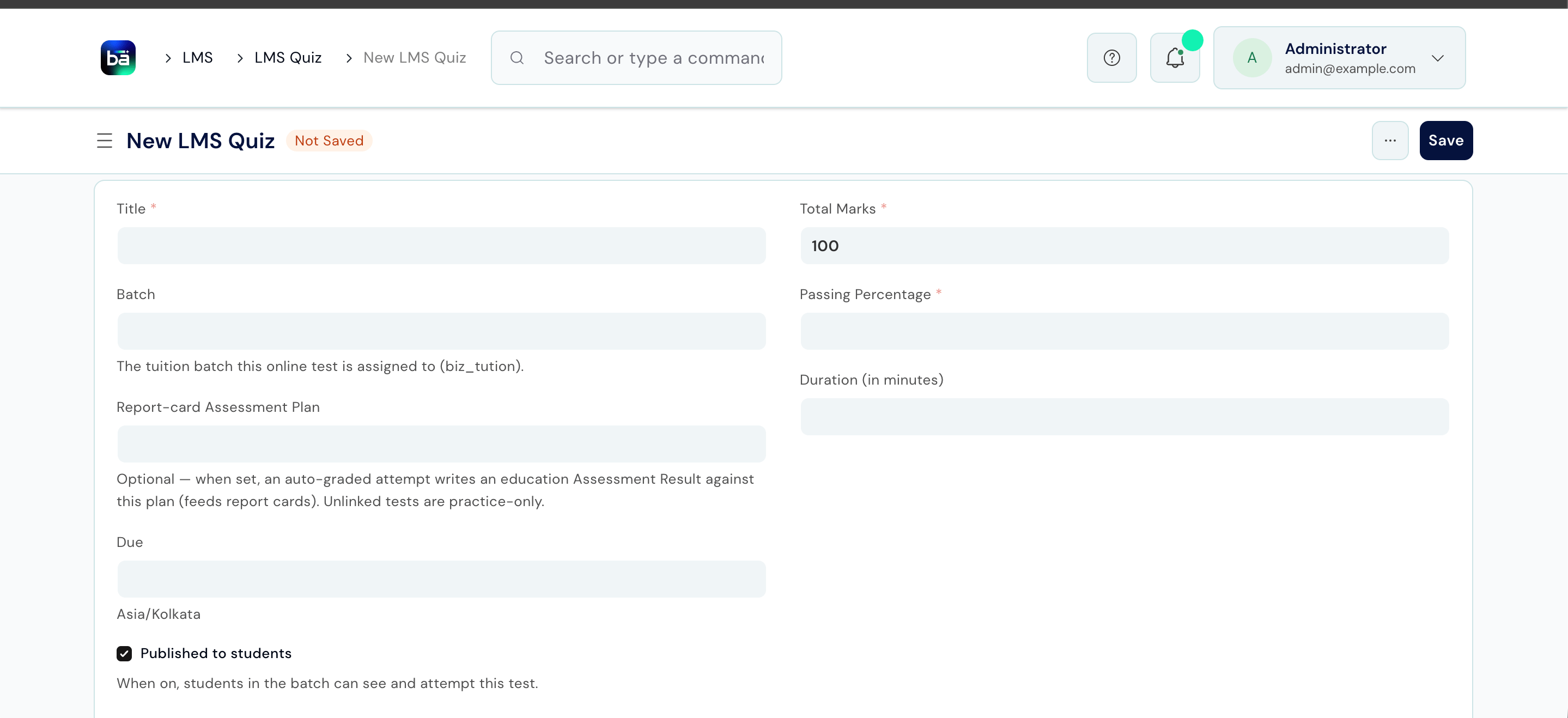
Creating a quiz
1
Open Quizzes
From the staff sidebar, choose Quizzes.
2
Create the quiz for a batch
Choose the batch and build the quiz. You can tie a quiz to an assessment plan so scores flow into grading where appropriate.
3
Publish it to the batch
Once published, the quiz appears for students under My Quizzes.
How students attempt
Students open My Quizzes, start an attempt, answer the questions, and submit. Scoring is automatic, so students see their result as soon as they submit and you do not mark by hand.1
Open My Quizzes
The student opens My Quizzes from their sidebar.
2
Attempt and submit
They work through the questions and submit the attempt.
3
See the score
The score is calculated automatically and shown to the student.
Results and insights
From the quiz, instructors see every student’s result. The Insights page rolls quiz performance up across the batch so you can spot topics the class struggled with and students who need help.How quizzes relate to grading
A quiz can be linked to an assessment plan, so its score can contribute to formal grading. To keep parents from being flooded, guardian grade-card notifications deliberately skip quiz-sourced results: parents are notified for teacher-published exam results, not for every short quiz. See Assessments & Grading.Upstream and downstream dependencies
- Upstream: a quiz needs a batch; linking to grading needs an assessment plan.
- Downstream: quiz attempts feed the student’s score, the Insights view, and optionally a grading result.
Best practices
- Keep quizzes short and frequent. Quick checks reveal gaps early without the weight of a formal exam.
- Use insights to steer teaching. Let the batch-level view guide what you revisit next class.
- Reserve grade cards for real exams. Quiz scores intentionally do not notify guardians; use formal assessments when you want parents informed.