

Roles and responsibilities
Study materials
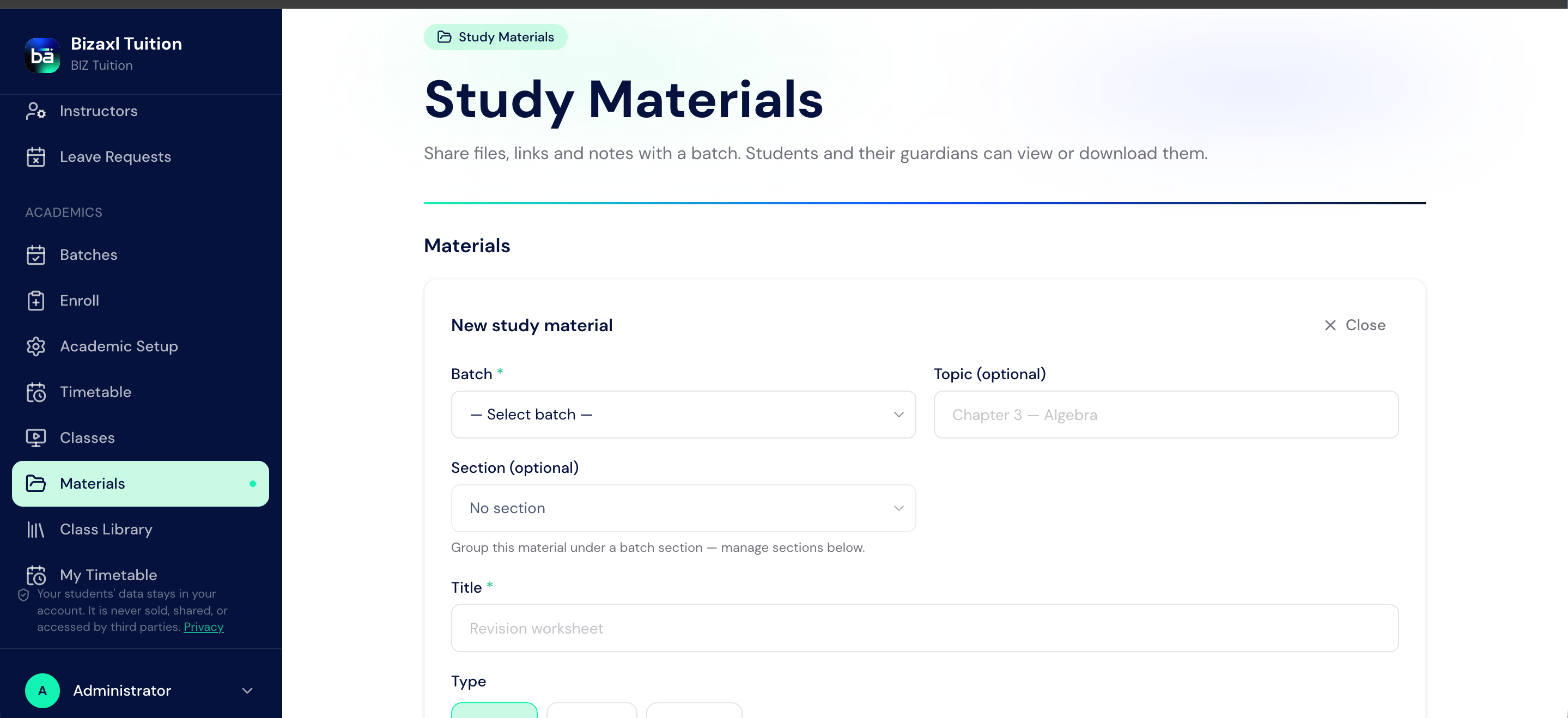
Instructors add materials for a batch: notes, documents, and links students can study at their own pace.1
Open Materials
From the staff sidebar, choose Materials.
2
Add a material for a batch
Upload or link the resource and attach it to the batch.
3
Organise into sections
Group materials into sections (for example, by chapter) so students find them easily. You can reorder sections and move resources between them.
Homework assignments
Homework is set as an assignment with instructions and a due date; students submit their work in the portal and the instructor grades it.1
Create an assignment
From Homework, create an assignment for the batch with instructions and a due date.
2
Students submit
Students open My Homework, complete the assignment, and submit it.
3
Review submissions
The instructor sees every submission for an assignment in one place.
4
Grade
Grade each submission so students get feedback.
Homework field guide
Upstream and downstream dependencies
- Upstream: materials and homework both need a batch of enrolled students.
- Downstream: submissions feed the instructor’s grading; materials feed the student’s My Materials library.
Best practices
- Organise materials into sections from the start. A flat pile of files is hard to navigate; sections make the library usable.
- Set clear due dates. A visible due date helps students plan and makes late work obvious.
- Grade promptly. Timely feedback is what turns homework into learning.