

Recording a premium payment
An advisor or an admin records a payment from Payments in the advisor portal. The payment is tied to a policy and clears the matching installment on that policy’s premium schedule.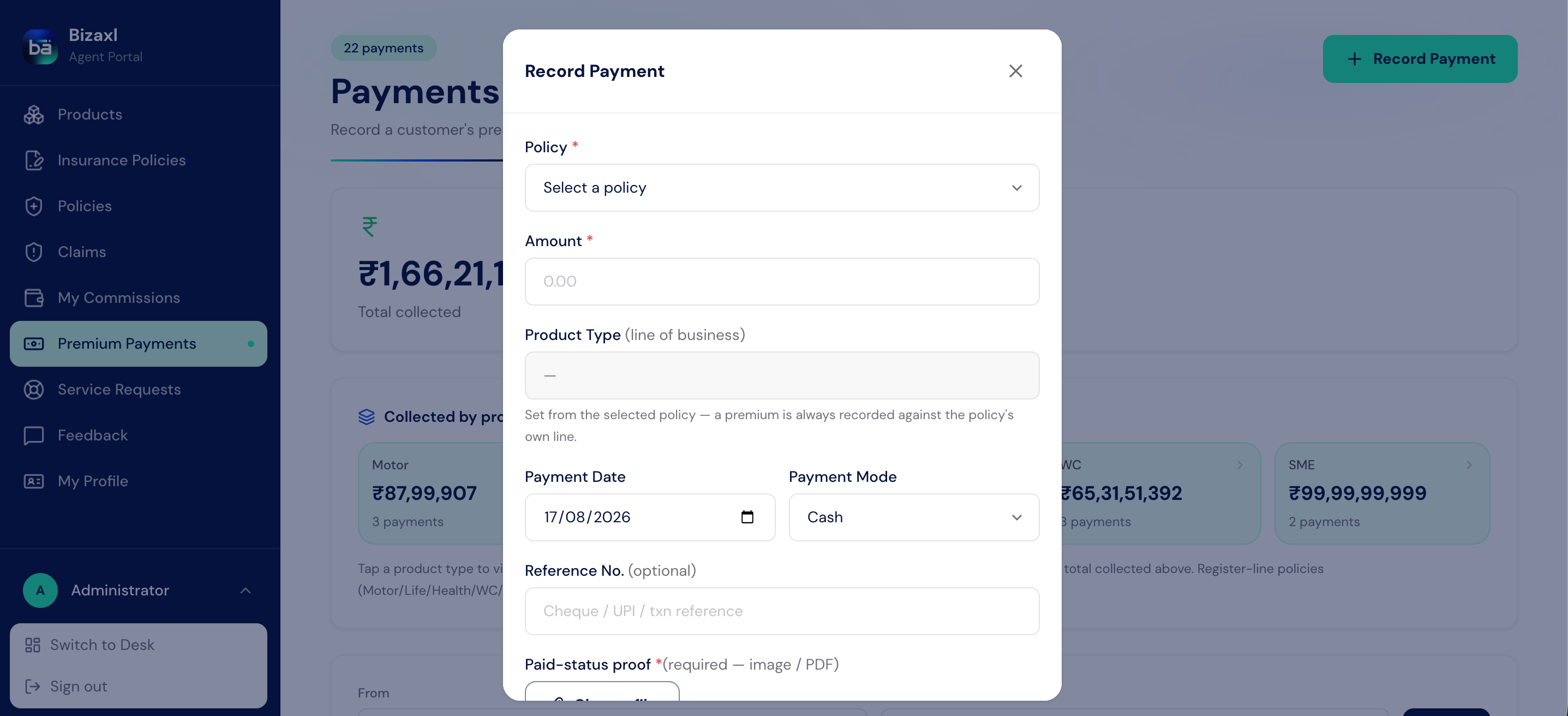
Field guide: the premium payment record
The GST-aware invoice and receipt
When a payment is recorded, the system raises an invoice for it and the payment can be downloaded as a PDF receipt. Whether GST applies depends on the policy category.- Individual policies
- Group policies
Premiums on individual policies are treated as Exempt (Individual), so no GST is
added. The total the client pays equals the premium amount.
The advisor downloads a premium receipt from Payments. The customer downloads the
same invoice with its GST breakup from Invoices in their portal. See
Customer self-service.
Printing a Premium Receipt
For a formal copy, open the payment record and use its print view to produce a Premium Receipt on agency letterhead, showing the premium, any GST, and the total. The agency details, bank details, and terms come from your agency settings at print time, so you never edit the layout to change them. If the client has opted in to WhatsApp updates, recording the payment also sends them a short confirmation with the amount and receipt number. See Customer self-service.How commission is calculated
Each qualifying premium payment books a commission for the advisor. Commission is a percentage of the amount paid, and the rate depends on whether this is the first year or a renewal.First Year
Applied to the first premium on a new policy, at the plan’s first-year commission
rate. This is the higher rate.
Renewal
Applied to later premiums, at the plan’s renewal commission rate.
Field guide: the commission record
TDS is only withheld above a configured threshold. The default commission rates, the
TDS rate, and the TDS threshold are all set in the agency settings by an admin.
Tracking commission: net, paid, and pending
Advisors review their earnings under Commissions in the advisor portal, which shows each commission with its gross, TDS, and net amounts. A commission starts as Pending and becomes Paid when an admin marks it paid and records the paid-on date, so at any time you can see what you have earned, what has been paid out, and what is still owed.Who does what
Dependencies
- Before you can record a payment: an issued policy with a premium schedule must exist. See Managing policies.
- What a payment needs: the product’s commission rates and the agency’s GST and TDS settings, so the invoice and commission come out right.
- What a payment feeds: it clears a schedule installment, advances the next due date, raises an invoice for the customer’s portal, and books the advisor’s commission.
Best practices
- Record payments promptly. Each payment advances the schedule, raises the invoice, and books the commission, so keeping payments current keeps everything in sync.
- Match the payment mode and reference. For cheques and transfers, capture the reference number so the receipt and any later reconciliation are clean.
- Check the GST treatment against the policy category. Individual premiums are exempt and group premiums are taxable; a mismatch shows up on the client’s invoice.
- Reconcile commission regularly. Compare pending versus paid under Commissions so nothing owed to an advisor is missed.