

Viewing your policies
Open My Policies to see every policy you hold. Select one to see its full detail: the cover, the premium, the key dates, and the nominees.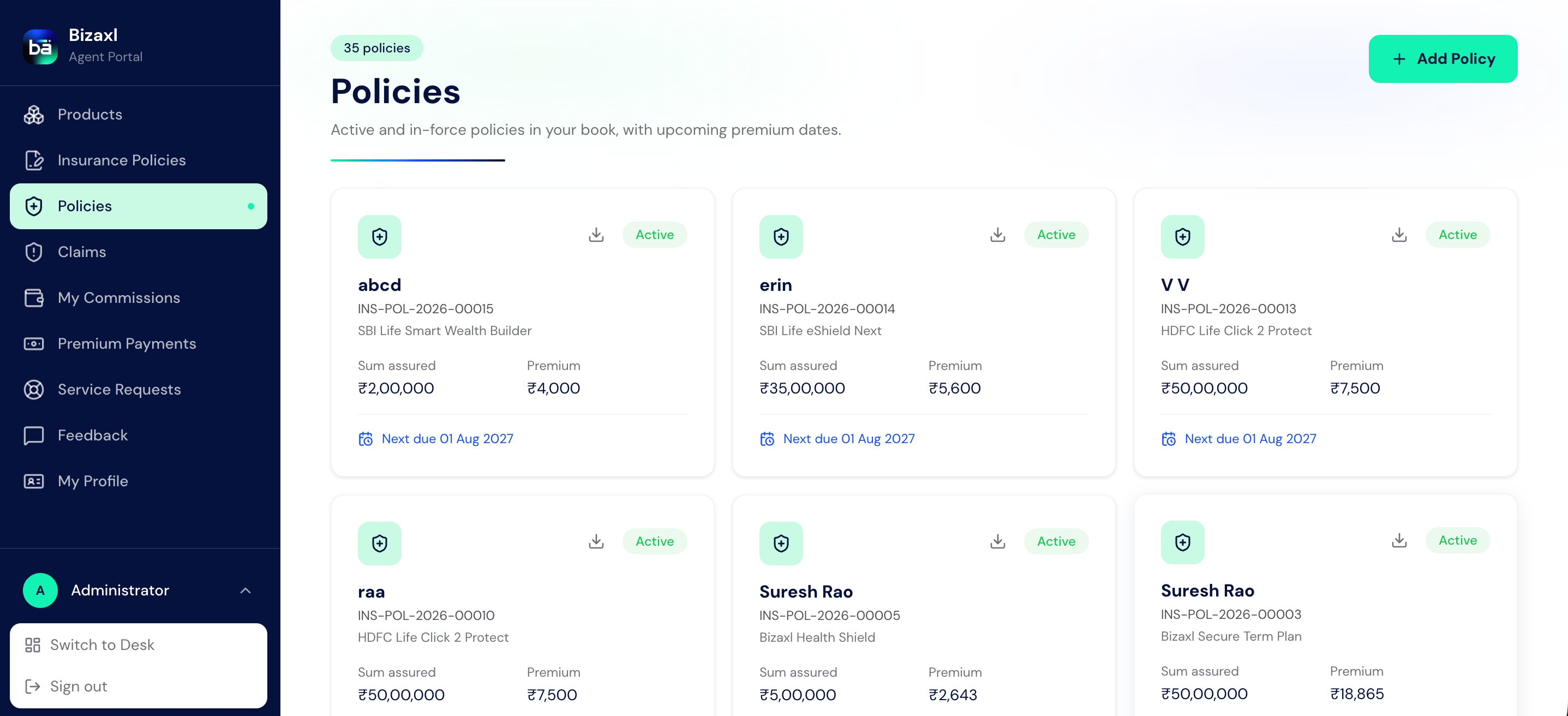
Some fields are managed by your advisor for compliance and appear as read-only on your
side, such as your KYC verification status and your assigned advisor. You can always
update your own contact details.
Downloading invoices and policy PDFs
- Invoices and receipts
- Policy statement
- Portfolio summary
Open Invoices to see every premium you have paid, each with its GST breakup.
Download any of them as a PDF receipt for your records.
Staying updated on WhatsApp
If your agency has WhatsApp updates switched on, you can get short messages on your registered mobile number when something happens on your policies:WhatsApp updates are opt-in. Nothing is sent unless you have given consent, which your
advisor records against your client record as WhatsApp Opt-In. Ask your advisor to
turn it on, or to turn it off again if you would rather not receive messages. Your
portal notifications and emailed documents continue either way.
Managing nominees
Open Nominees to see who is nominated on each policy. To change them, request a nominee change: your advisor reviews it and applies it once approved.1
Pick the policy
Choose the policy whose nominees you want to change.
2
Set the nominees
Add each nominee with their name, relationship, and share. The shares must total
exactly 100%. If a nominee is a minor, you must name an appointee for them.
3
Submit for review
Send the request. Your advisor reviews it, and the change is applied on approval.
Submitting KYC
Open KYC Verification to submit or update your identity details. You enter your PAN and only the last four digits of your Aadhaar, and you can attach supporting documents.Only the last four digits of your Aadhaar are ever stored, never the full number. When
you submit your KYC, your advisor is notified to verify it, and your verification
status is shown as read-only.
Raising a service request
Open Service Requests to ask for a change and track it through to completion.
An approved request is applied for you once it is completed, so you do not have to make
the change yourself.
Leaving feedback
Open Feedback to send your advisor a compliment, complaint, or suggestion, with a rating and your comments. You can see the status of what you have sent and any response.Seeing your assigned advisor
Your assigned advisor is shown on your records and is who handles your KYC, your service requests, and your feedback. You cannot change your advisor yourself; the agency assigns and manages it.Who does what
Dependencies
- Before you can log in: the agency converts your lead into a client with a portal login and sends you a link to set your password. See Leads and conversion.
- What documents need: a policy must be issued before its statement is available, and you need at least one issued policy for the portfolio PDF.
- What your requests feed: nominee changes and service requests go to your advisor, and your KYC submission prompts them to verify you.
Best practices
- Keep your details current. Update your contact information so your advisor can reach you and your documents stay accurate.
- Complete KYC early. A verified KYC keeps your policies running smoothly and avoids delays on new applications.
- Use service requests for changes. For an address, contact, or nominee change, a service request creates a tracked, reviewable record rather than an informal ask.
- Download and keep your receipts. Save the PDF invoice for each premium you pay so you always have proof of payment.