

Opening the register
Open Policy Register in the advisor portal. You land on a summary of the policies you have captured, grouped by line of business, with the count and premium written under each. From here you start a new policy in any of the five lines, or open an existing one to view or edit it.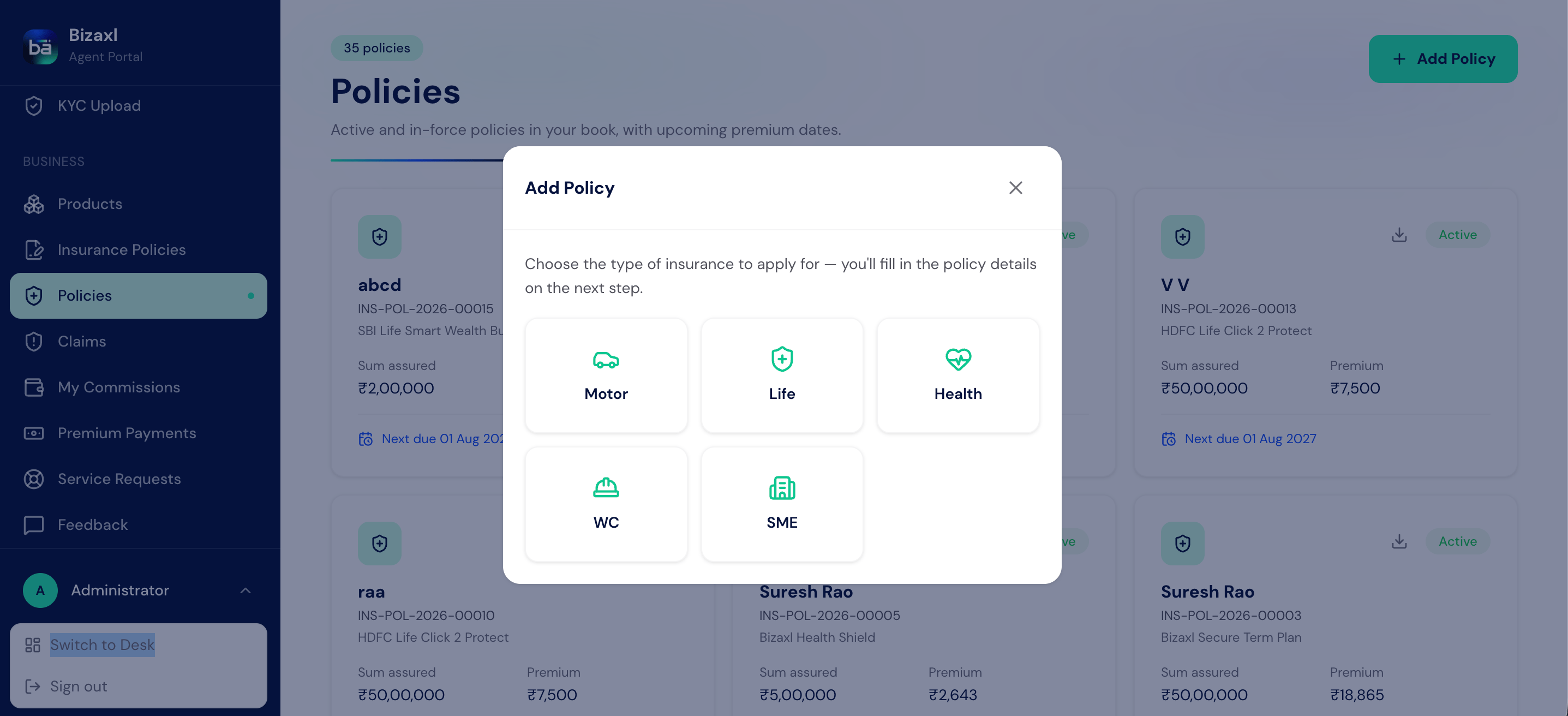
Motor
Private car, two-wheeler, and commercial vehicle cover, with IDV, add-ons, and permit
validity.
Life
Term, endowment, ULIP, and other life plans, with sum assured, term, and maturity
benefit.
Health
Individual, family floater, and group health cover, with the sum insured and covered
members.
Workmen's Comp
Employer liability cover, priced on the wage bill and the nature of work.
SME
Business-package cover for a shop, office, or establishment, with fire, burglary, and
liability options.
Uploading a policy PDF to pre-fill the form
Rather than key everything in, you can attach the insurer’s policy PDF and let the system read the common details from it. Review what it reads back, correct anything that needs it, and complete the rest by hand.1
Start a new policy in the right line
Choose the line of business (for example Motor) and open a new form.
2
Upload the policy PDF
Attach the insurer’s PDF in the upload field. The system reads the details it can
recognize and fills them into the matching fields.
3
Review and complete
Check the pre-filled values against the document, fix anything that came across wrong,
and fill in the fields the PDF did not cover.
4
Save the policy
Save it as a Draft while you finish, then set it Active once the record is complete.
Reading a PDF is a convenience, not a substitute for checking. Always confirm the
premium figures, the policy number, and the start and end dates against the document
before you set the policy Active.
Field guide: the details every line shares
Every policy in the register, whatever the line, opens with the same client, agent, and policy blocks, and closes with the same payment and status blocks.Nominees and bank details
Most lines carry a Nominees table (name, relationship, and share, with shares totalling 100%) and a Bank Details table for the account a claim or maturity is paid into. Motor, Life, and Health capture nominees; every line captures bank details.Payment management and installments
Each policy has a payment block for tracking what the client owes and has paid, so you can run a policy on installments without a separate schedule.Motor policy
The motor form captures the vehicle, the cover type, the add-ons, and the many validity dates a commercial vehicle needs.Life policy
Health policy
Workmen’s Compensation (WC) policy
SME policy
Downloading a register policy
Once a policy is captured you can download it as a PDF report from its form, to send to the client or file with the paperwork. Keep the policy PDF attached to the record so the document and the data stay together.Who does what
Dependencies
- Before you capture a policy: the client must exist as a record, and the insurer, and any agency or broker code, should be set up so you can select them. See Product catalog for the master data.
- What the register needs: the insurer’s policy details (number, dates, premium) and, ideally, the policy PDF to read them from.
- What the register feeds: the captured policy is your source of truth for that line of business, and its payment block tracks what the client owes and has paid.
Best practices
- Upload the PDF first. Reading the insurer’s document in pre-fills the tedious fields and cuts keying errors, so start there and correct rather than type from scratch.
- Keep it Draft until it is complete. Set a policy Active only when the number, dates, premium, and nominees are all confirmed against the document.
- Get nominee shares to 100%. As everywhere in the product, nominee shares must total exactly 100%, and a minor nominee needs an appointee.
- Reconcile the payment block. Keep Amount Received and Amount Remaining current as installments come in, so the balance owed is always accurate.
- Name insurers and codes consistently. Use one spelling per insurer, agency code, and broker code so the register groups and totals cleanly.