

Capturing and qualifying a lead (advisor)
Open Leads in the advisor portal and add a prospect. As you log calls and follow-ups, move the lead along its pipeline. The system scores the lead as you go and bands it Hot, Warm, or Cold so you know who to call next.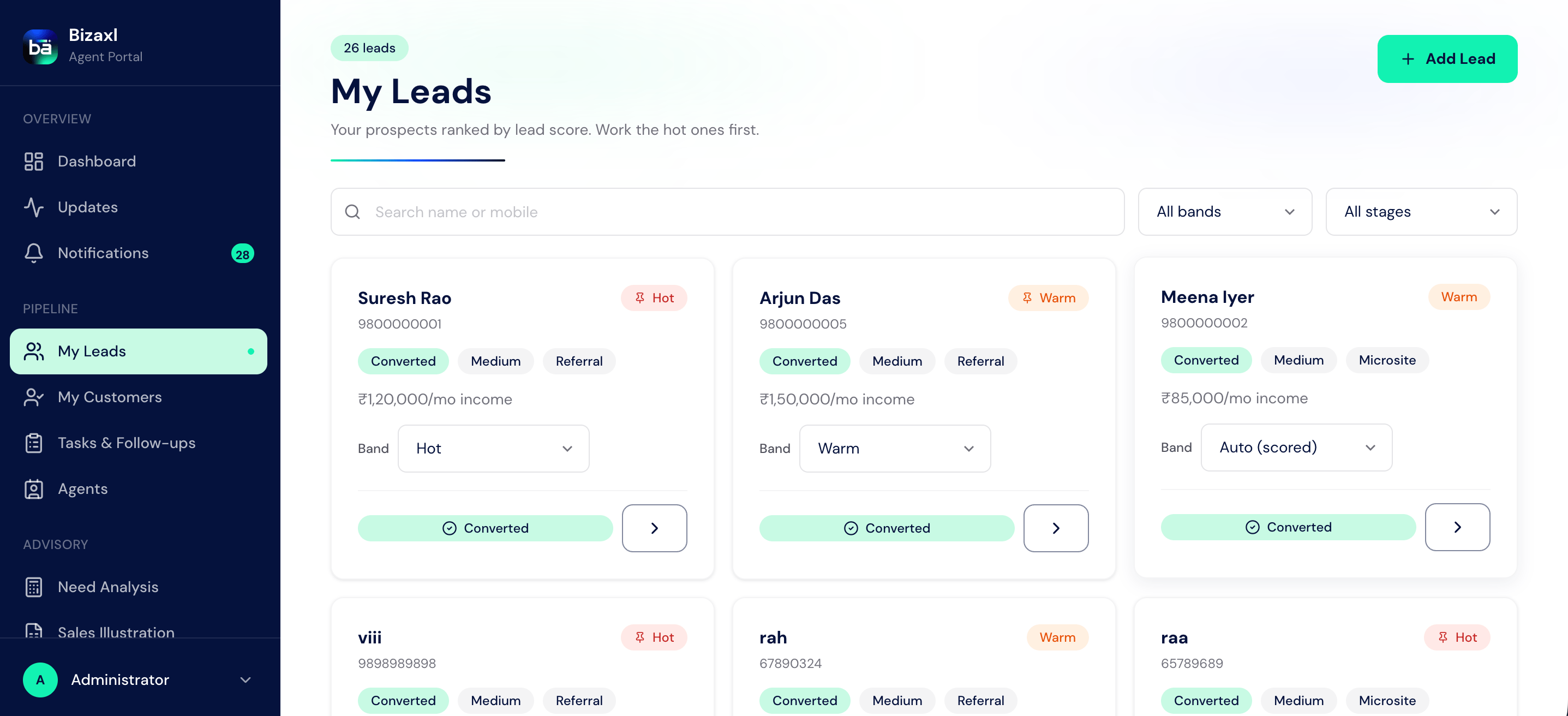
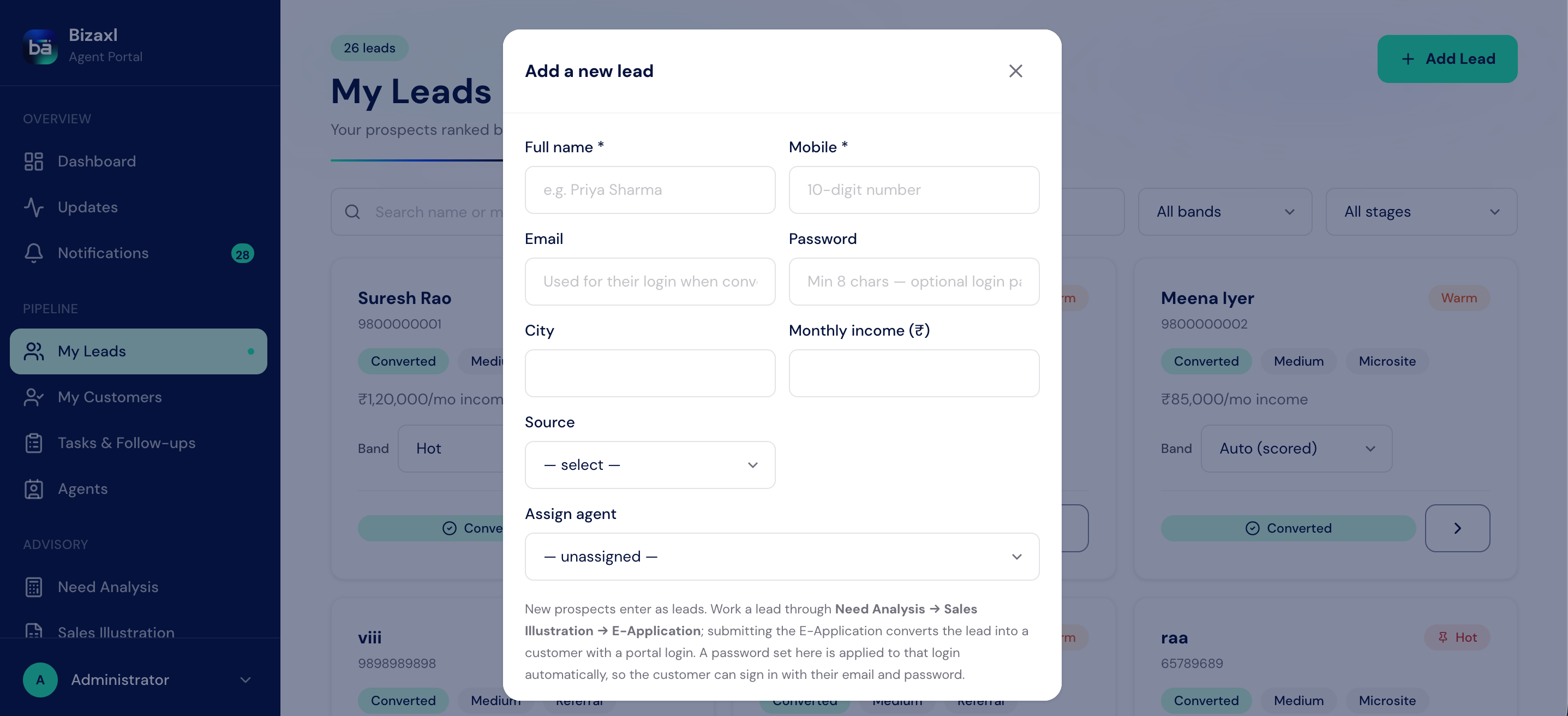
Field guide: the lead record
Logging a follow-up
Every touchpoint you record is a follow-up activity on the lead.Logging the qualifying call: agreed or disagreed
When you have the deciding conversation, record its result with one action, right from the lead.1
Open the lead
Go to Leads and open the prospect you spoke with.
2
Record the outcome
Choose Call: Agreed if the prospect wants to go ahead, or Call: Disagreed if
they do not.
3
What happens next
An Agreed call marks the lead ready to move into the advisory sequence and
notifies an admin. A Disagreed call closes the lead as Lost.
Turning a lead into a client
There is no separate conversion step and no Conversions area to visit. From the lead’s own detail page you run the advisory sequence in order, and submitting the E-Application at the end is what turns the lead into a client. The system creates the client record, provisions their portal login, and links the new client back to the lead it came from, all in one action.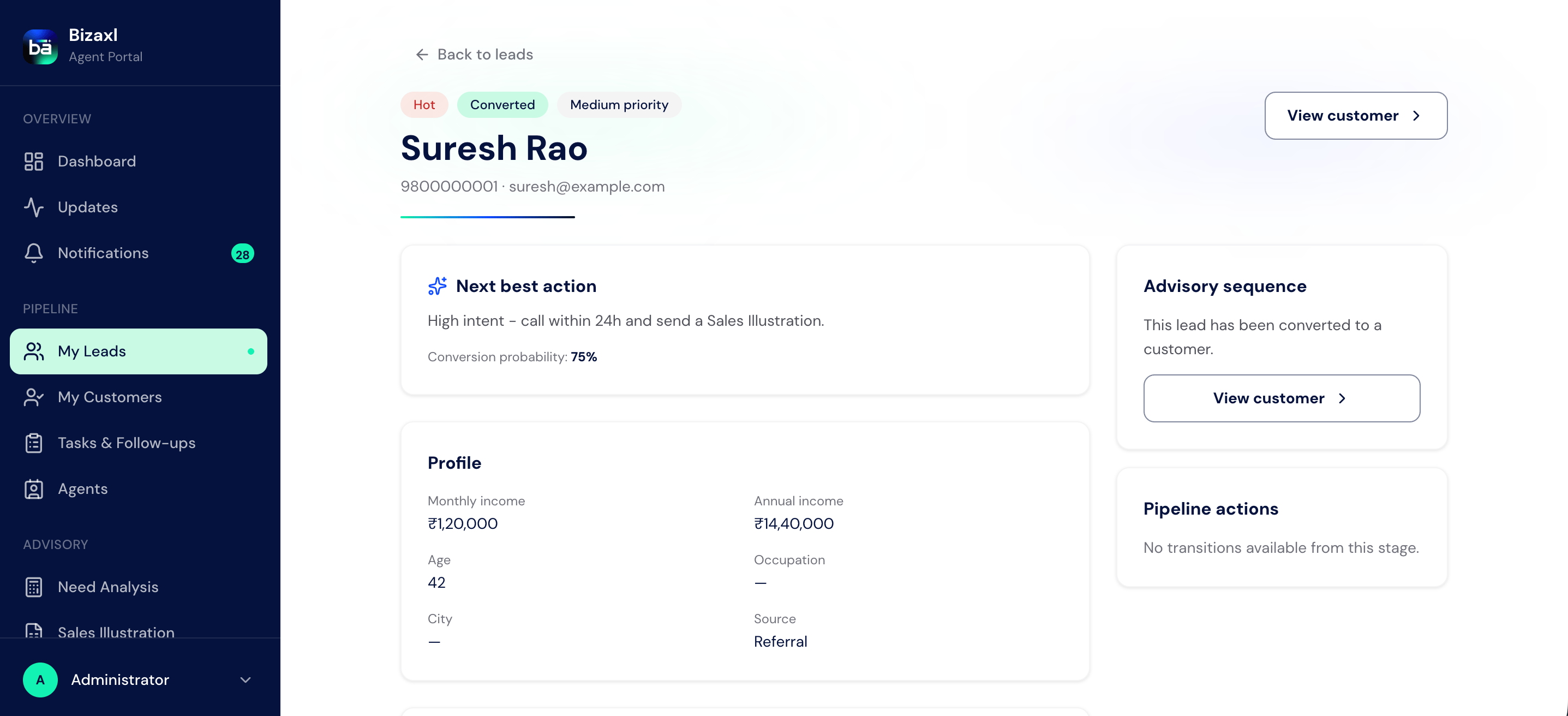
1
Open the lead and launch the sequence
From the lead’s detail page, start the advisory sequence. It runs Need Analysis,
then Sales Illustration, then E-Application, each anchored on this lead.
2
Assign the advisor (admin)
Each of the three forms carries an advisor selector. An admin can assign any advisor
to the work; the lead’s current advisor is pre-filled when they are still active. A
logged-in advisor’s own forms are fixed to themselves.
3
File and submit the E-Application
Complete the proposal with nominees, health declarations, confirmed KYC, and the
client’s consent, then submit it. No client record needs to exist first: the
E-Application is filed against the lead.
4
The lead becomes a client
On submission the lead is turned into a client with a portal login, using the email
captured on the lead. The advisor then carries the same application through review
and approval on the page.
The new client’s portal login is set up for them at submission. If the lead had a
portal password pre-set (an admin can do this when adding the lead), that password is
applied. Otherwise the system produces a shareable reset link the advisor hands over,
so the client can set their own password before their first sign-in. An email must be
present on the lead for a portal login to work.
Who does what
Dependencies
- Before you can convert: the lead must reach the E-Application and have the client’s consent to submit it.
- What conversion needs: an advisor assigned to the work and an email on the lead for the portal login.
- What conversion feeds: a new client record (see Customer self-service) that carries straight on through application review and into a policy.
Best practices
- Work the pipeline in order. Move a lead through New, Contacted, Qualified, and Proposal rather than jumping ahead. The system re-scores the lead as you progress, so your Hot, Warm, and Cold priorities stay accurate.
- Capture the email early. The email on the lead becomes the client’s portal login when the E-Application is submitted, so record it while you are qualifying.
- Log the call outcome honestly and promptly. An Agreed call is what moves the lead into the advisory sequence; leaving it unlogged stalls the sale.
- Run the sequence in order. A Need Analysis and a Sales Illustration before the E-Application give a cleaner proposal, and the sooner the E-Application is submitted the sooner the client has a portal login and the sale can progress.