> ## Documentation Index
> Fetch the complete documentation index at: https://docs.bizaxl.com/llms.txt
> Use this file to discover all available pages before exploring further.
# Setup and Configuration
> Configure the master data, billing catalogue, quality records, and system settings that Law Management depends on before your team starts daily work.
**Role: Administrator** - All setup tasks on this page are performed by an Administrator. Legal Staff require these records to exist before they can open matters, file cases, or book appointments.
Before your team can open matters, file cases, or book appointments, an Administrator must configure the reference data that those records depend on. Do this once, before anyone starts daily work.
## Setup Order
Some records depend on others. Follow this sequence to avoid errors:
```mermaid theme={null}
%%{init: {'theme':'base','themeVariables':{'fontFamily':'DM Sans','primaryColor':'#e7fdf6','primaryBorderColor':'#14f1b1','primaryTextColor':'#0f172a','lineColor':'#14f1b1'}}}%%
flowchart TD
BR[Branch] --> MT[Matter Type]
MT --> ST[Service Type]
ST --> SV[Service
court / jurisdiction]
BR --> FT[File Type]
BR --> TT[Task Type]
BR --> AT[Appointment Type]
BR --> LS[Legal Service]
BR --> MPT[Matter Template]
BR --> QG[Quality Goal]
BR --> LMS[Law Management Settings]
```
***
## Branch
A branch is an office location of the firm. Matters, appointments, and meeting rooms are all linked to a branch.
**Path:** Law Management → Setup → Branch → New
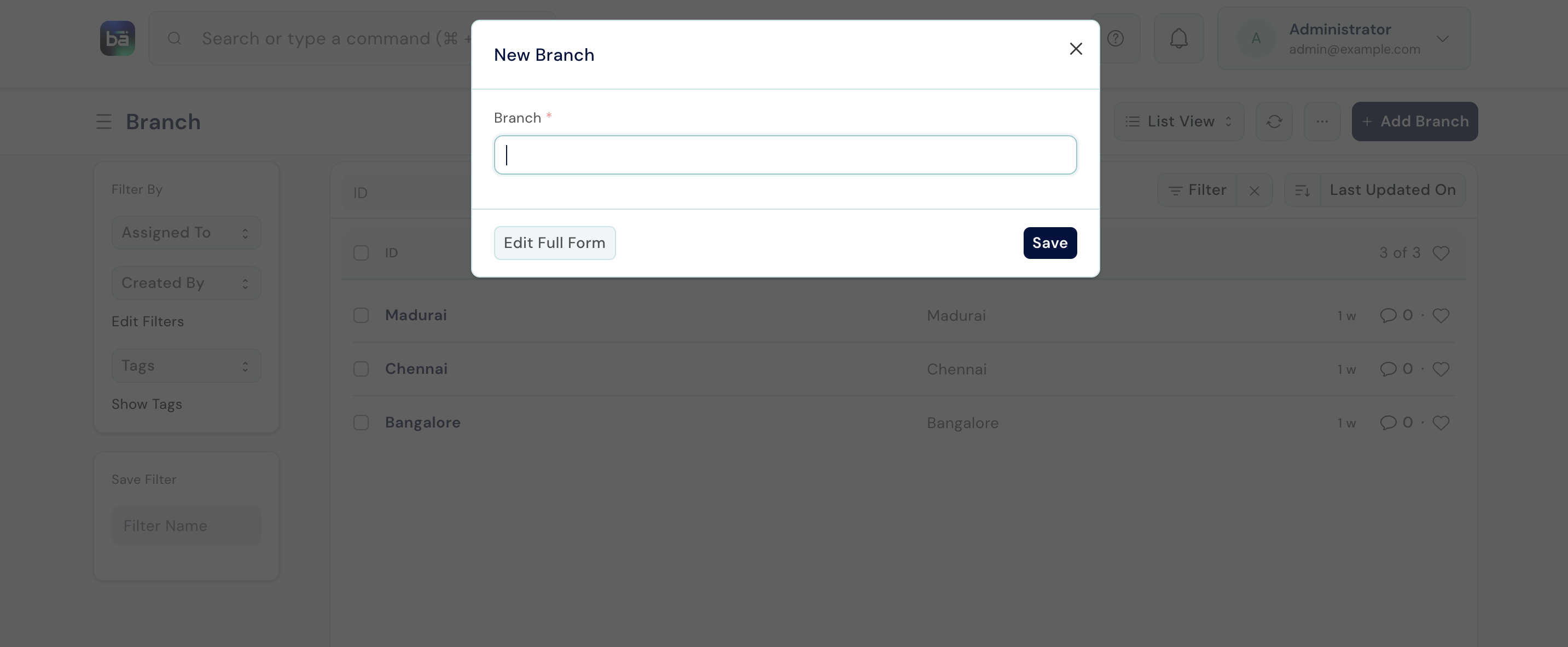 | Field | Description |
| ----------- | -------------------------------------------------------------------- |
| **Branch** | Name of the office location (e.g. "Chennai Office", "Delhi Branch"). |
| **Company** | The legal entity this branch belongs to. |
***
## Matter Type
Matter Types are the top-level categories of legal work your firm handles. Every matter must be assigned one.
**Path:** Law Management → Masters → Matter Type → New
| Field | Description |
| ----------- | -------------------------------------------------------------------- |
| **Branch** | Name of the office location (e.g. "Chennai Office", "Delhi Branch"). |
| **Company** | The legal entity this branch belongs to. |
***
## Matter Type
Matter Types are the top-level categories of legal work your firm handles. Every matter must be assigned one.
**Path:** Law Management → Masters → Matter Type → New
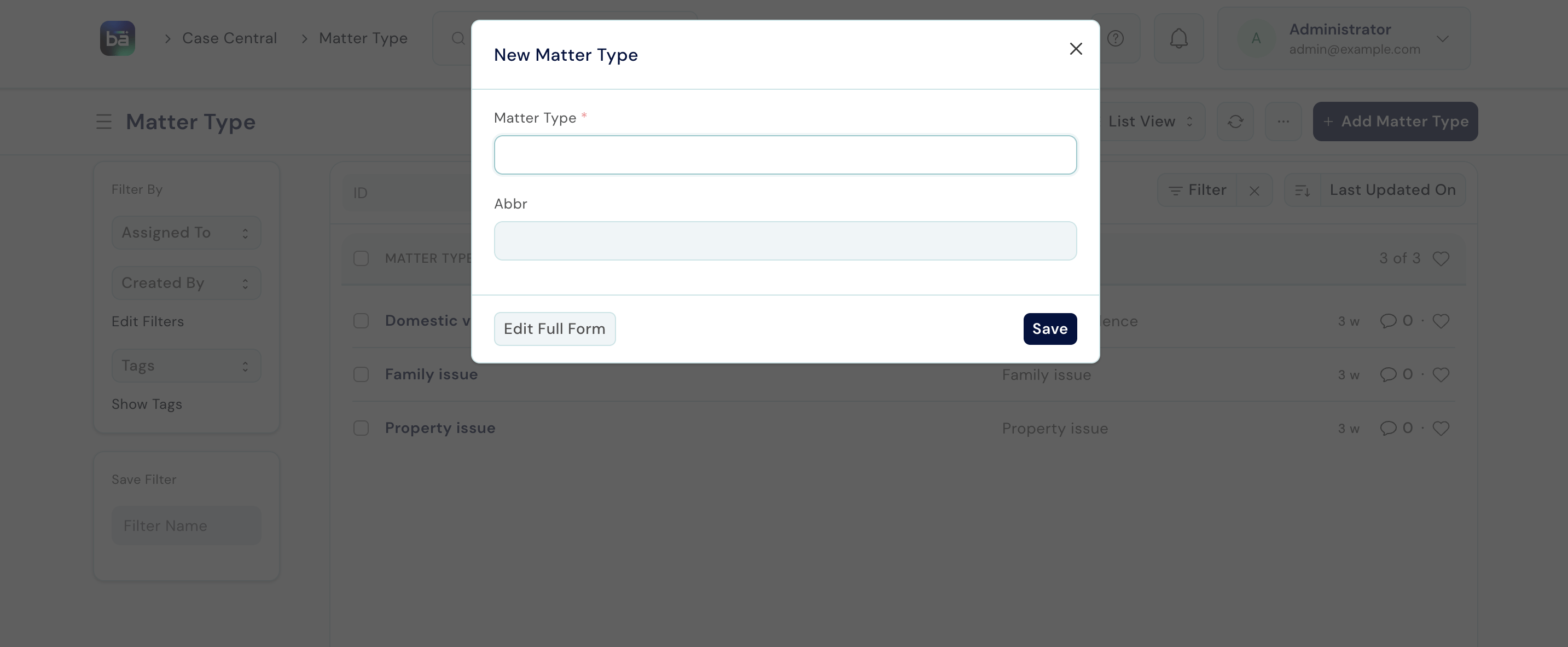 | Field | Description |
| ---------------- | -------------------------------------------------------- |
| **Matter Type** | Category name (e.g. Civil, Criminal, Family, Corporate). |
| **Abbreviation** | Short code used in file numbering (e.g. CIV, CRIM, FAM). |
***
## Service Type
Service Types sit below Matter Types and describe the nature of legal service within a category.
**Path:** Law Management → Masters → Service Type → New
**Requires:** Matter Type must exist first.
| Field | Description |
| ---------------- | --------------------------------------------------------- |
| **Service Type** | Name (e.g. Litigation, Drafting, Advisory, Consultation). |
| **Abbreviation** | Short code. |
| **Matter Type** | The Matter Type this Service Type belongs to. |
***
## Service (Court / Jurisdiction)
A Service represents a specific court or jurisdiction the firm practises in. This links a matter or case to the court where it is filed.
**Path:** Law Management → Masters → Service → New
**Requires:** Service Type must exist first.
| Field | Description |
| ---------------- | -------------------------------------------------------- |
| **Matter Type** | Category name (e.g. Civil, Criminal, Family, Corporate). |
| **Abbreviation** | Short code used in file numbering (e.g. CIV, CRIM, FAM). |
***
## Service Type
Service Types sit below Matter Types and describe the nature of legal service within a category.
**Path:** Law Management → Masters → Service Type → New
**Requires:** Matter Type must exist first.
| Field | Description |
| ---------------- | --------------------------------------------------------- |
| **Service Type** | Name (e.g. Litigation, Drafting, Advisory, Consultation). |
| **Abbreviation** | Short code. |
| **Matter Type** | The Matter Type this Service Type belongs to. |
***
## Service (Court / Jurisdiction)
A Service represents a specific court or jurisdiction the firm practises in. This links a matter or case to the court where it is filed.
**Path:** Law Management → Masters → Service → New
**Requires:** Service Type must exist first.
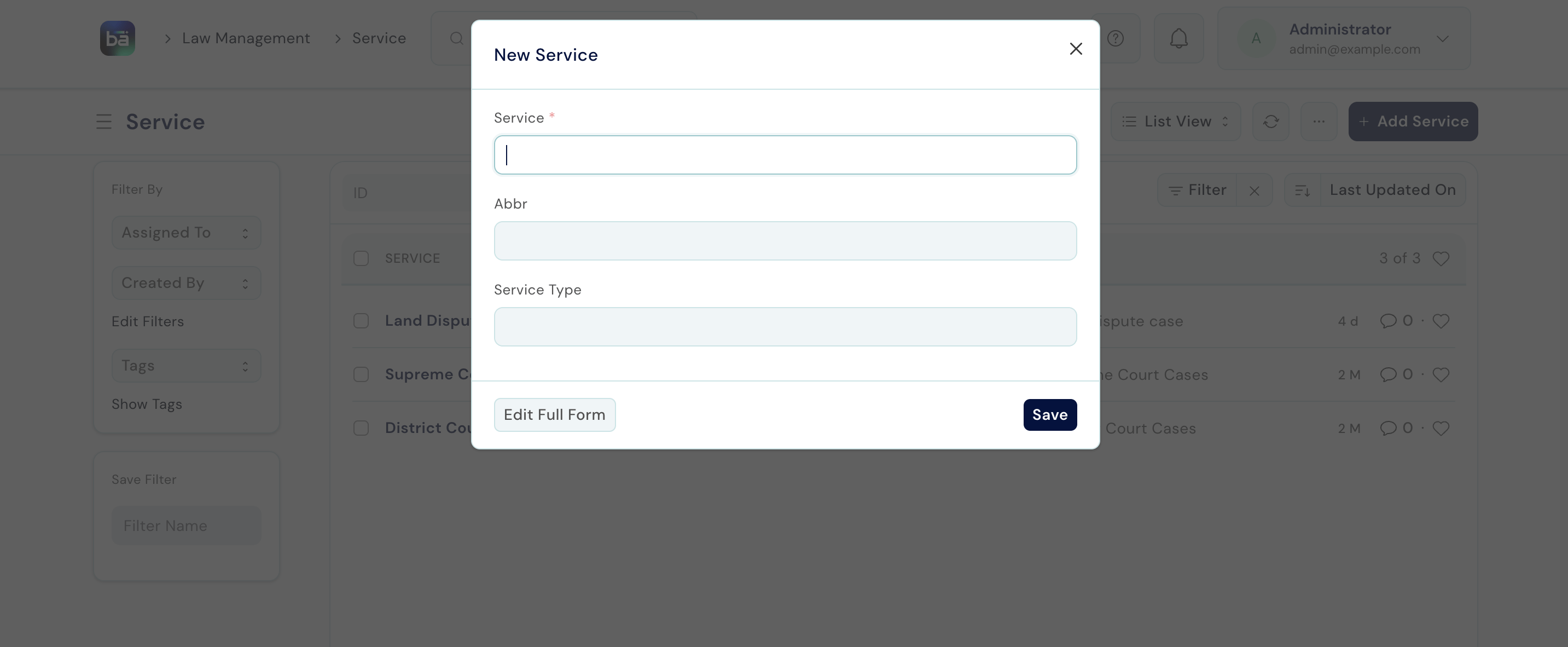 | Field | Description |
| ---------------- | -------------------------------------------------------------------------- |
| **Service** | Name of the court (e.g. "Madras High Court", "District Court Coimbatore"). |
| **Abbreviation** | Short code (e.g. MHC, DCC). |
| **Service Type** | The type of service this court falls under. |
***
## File Type
File Types are classification codes for labelling the physical client files in your office.
**Path:** Law Management → Masters → File Type → New
| Field | Description |
| ---------------- | -------------------------------------------------------------- |
| **File Type** | Label (e.g. "A Series", "Blue File", a colour or letter code). |
| **Abbreviation** | Short code. |
***
## Task Type
Task Types categorise the internal work items created within matters.
**Path:** Law Management → Masters → Task Type → New
| Field | Description |
| ------------- | ------------------------------------------------------------------------------- |
| **Task Type** | Name (e.g. Drafting, Research, Court Appearance, Filing, Client Communication). |
***
## Appointment Type
Appointment Types categorise the meetings clients can book with lawyers.
**Path:** Law Management → Appointments → Appointment Type → New
| Field | Description |
| -------------------- | ---------------------------------------------------------------- |
| **Appointment Type** | Name (e.g. Initial Consultation, Case Review, Document Signing). |
| **Default Duration** | How long this meeting type usually lasts, in minutes. |
| **Color** | A colour code to distinguish it in the calendar view. |
***
## Legal Service
Legal Services are the items in the firm's billing catalogue. Each service must have a rate before it can be recorded against a client matter.
**Path:** Law Management → Operations → Legal Service → New
| Field | Description |
| ---------------- | -------------------------------------------------------------------------- |
| **Service** | Name of the court (e.g. "Madras High Court", "District Court Coimbatore"). |
| **Abbreviation** | Short code (e.g. MHC, DCC). |
| **Service Type** | The type of service this court falls under. |
***
## File Type
File Types are classification codes for labelling the physical client files in your office.
**Path:** Law Management → Masters → File Type → New
| Field | Description |
| ---------------- | -------------------------------------------------------------- |
| **File Type** | Label (e.g. "A Series", "Blue File", a colour or letter code). |
| **Abbreviation** | Short code. |
***
## Task Type
Task Types categorise the internal work items created within matters.
**Path:** Law Management → Masters → Task Type → New
| Field | Description |
| ------------- | ------------------------------------------------------------------------------- |
| **Task Type** | Name (e.g. Drafting, Research, Court Appearance, Filing, Client Communication). |
***
## Appointment Type
Appointment Types categorise the meetings clients can book with lawyers.
**Path:** Law Management → Appointments → Appointment Type → New
| Field | Description |
| -------------------- | ---------------------------------------------------------------- |
| **Appointment Type** | Name (e.g. Initial Consultation, Case Review, Document Signing). |
| **Default Duration** | How long this meeting type usually lasts, in minutes. |
| **Color** | A colour code to distinguish it in the calendar view. |
***
## Legal Service
Legal Services are the items in the firm's billing catalogue. Each service must have a rate before it can be recorded against a client matter.
**Path:** Law Management → Operations → Legal Service → New
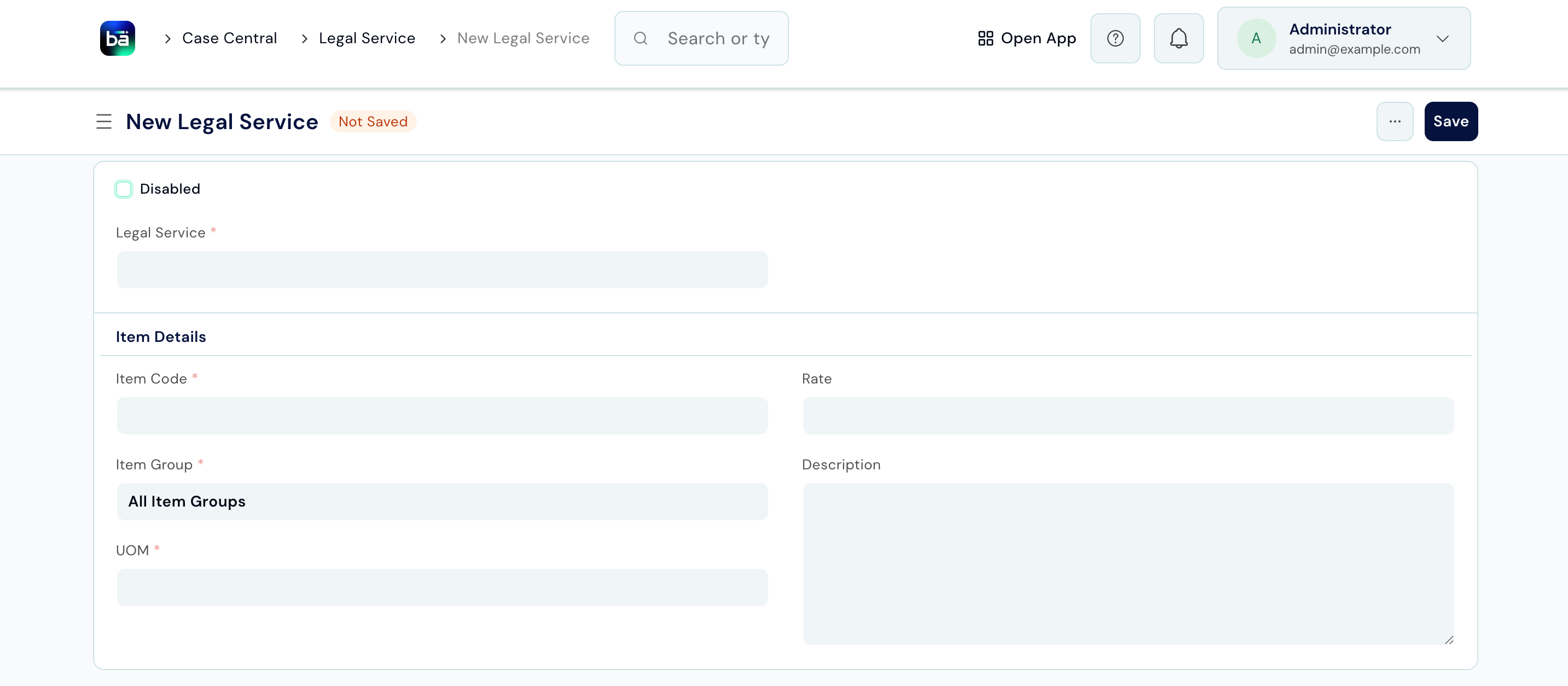 | Field | Description |
| -------------------- | ------------------------------------------------------------------------------- |
| **Legal Service** | Name of the service (e.g. Court Appearance, Drafting Agreement, Legal Opinion). |
| **Description** | What the service covers. |
| **Rate** | The amount to charge for this service. |
| **UOM** | Unit of measure - Per Appearance, Per Hour, Per Document, etc. |
| **Item / Item Code** | Links to a BAS item so this service can appear on an invoice. |
| **Disabled** | Toggle off to hide the service from selection without deleting it. |
***
## Matter Templates
Templates let you pre-populate a standard set of tasks whenever you open a particular type of matter - saving time on repetitive setup.
**Path:** Law Management → Setup → Matter Template → New
| Field | Description |
| ----------------- | ---------------------------------------------------------------------- |
| **Template Name** | Descriptive name (e.g. "Standard Civil Suit", "Cheque Bounce Matter"). |
| **Tasks** | Add standard tasks with type, subject, and estimated duration. |
When opening a new matter, select a template to have all its tasks created automatically.
***
## Quality Goals
Quality Goals define measurable standards the firm aims to meet - for example, "Log all hearings within 24 hours" or "Confirm client appointments 48 hours in advance."
**Path:** Law Management → Quality Management → Quality Goal → New
| Field | Description |
| -------------------- | ------------------------------------------------------------------------------- |
| **Legal Service** | Name of the service (e.g. Court Appearance, Drafting Agreement, Legal Opinion). |
| **Description** | What the service covers. |
| **Rate** | The amount to charge for this service. |
| **UOM** | Unit of measure - Per Appearance, Per Hour, Per Document, etc. |
| **Item / Item Code** | Links to a BAS item so this service can appear on an invoice. |
| **Disabled** | Toggle off to hide the service from selection without deleting it. |
***
## Matter Templates
Templates let you pre-populate a standard set of tasks whenever you open a particular type of matter - saving time on repetitive setup.
**Path:** Law Management → Setup → Matter Template → New
| Field | Description |
| ----------------- | ---------------------------------------------------------------------- |
| **Template Name** | Descriptive name (e.g. "Standard Civil Suit", "Cheque Bounce Matter"). |
| **Tasks** | Add standard tasks with type, subject, and estimated duration. |
When opening a new matter, select a template to have all its tasks created automatically.
***
## Quality Goals
Quality Goals define measurable standards the firm aims to meet - for example, "Log all hearings within 24 hours" or "Confirm client appointments 48 hours in advance."
**Path:** Law Management → Quality Management → Quality Goal → New
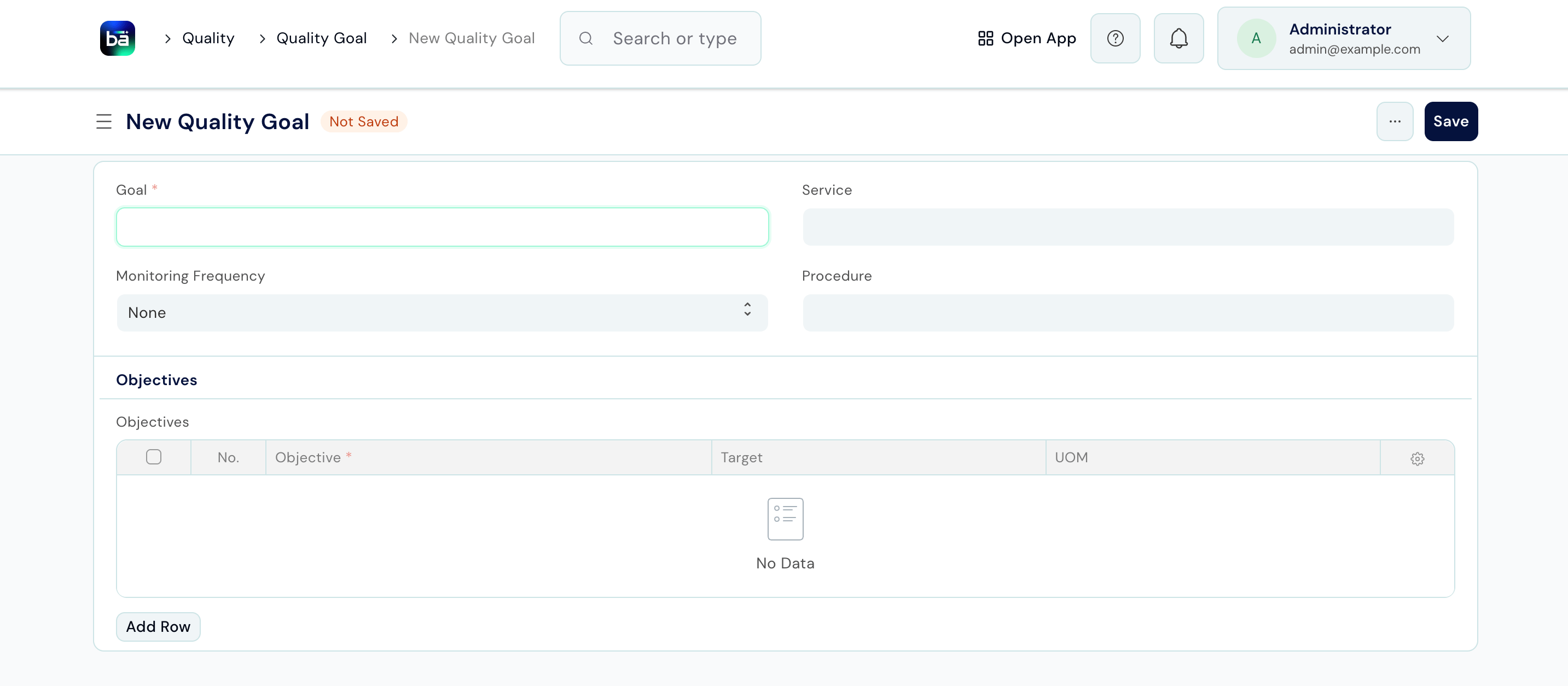 | Field | Description |
| ------------------------ | ------------------------------------------------------------- |
| **Goal** | A clear, measurable statement of the standard. |
| **Monitoring Frequency** | How often performance is reviewed: Daily, Weekly, or Monthly. |
| **Objectives** | The specific criteria that define whether the goal is met. |
### Conduct a Quality Review
A Quality Review is a periodic check against a goal. Reviews create a permanent record of whether each objective was met.
**Path:** Law Management → Quality Management → Quality Review → New
**Requires:** At least one Quality Goal must exist.
| Field | Description |
| ---------------- | --------------------------------------------------------------- |
| **Review Date** | When the review was conducted. |
| **Quality Goal** | The goal being assessed. |
| **Reviews** | For each objective: mark Passed or Failed and add observations. |
***
## Law Management Settings
**Path:** Law Management → Setup → Law Management Settings
| Setting | What it does |
| ----------------------------------- | ------------------------------------------------------------------------------------------------------ |
| **Create Book on Purchase Invoice** | When enabled, a library Book record is automatically created whenever a book is purchased through BAS. |
***
## Tips
* **Set up Masters before opening your first matter.** If Matter Type, Service Type, or Service records don't exist, staff will not be able to select them on the matter form.
* **Set the Rate on every Legal Service** before Legal Staff start recording work - entries without a rate cannot be invoiced.
* **Use Matter Templates** for any matter type you open regularly. Even a template with 3–4 standard tasks saves significant time over hundreds of matters.
* **Quality Goals work best when specific and measurable.** "Respond to all client queries within 2 business days" is actionable; "Improve client service" is not.
| Field | Description |
| ------------------------ | ------------------------------------------------------------- |
| **Goal** | A clear, measurable statement of the standard. |
| **Monitoring Frequency** | How often performance is reviewed: Daily, Weekly, or Monthly. |
| **Objectives** | The specific criteria that define whether the goal is met. |
### Conduct a Quality Review
A Quality Review is a periodic check against a goal. Reviews create a permanent record of whether each objective was met.
**Path:** Law Management → Quality Management → Quality Review → New
**Requires:** At least one Quality Goal must exist.
| Field | Description |
| ---------------- | --------------------------------------------------------------- |
| **Review Date** | When the review was conducted. |
| **Quality Goal** | The goal being assessed. |
| **Reviews** | For each objective: mark Passed or Failed and add observations. |
***
## Law Management Settings
**Path:** Law Management → Setup → Law Management Settings
| Setting | What it does |
| ----------------------------------- | ------------------------------------------------------------------------------------------------------ |
| **Create Book on Purchase Invoice** | When enabled, a library Book record is automatically created whenever a book is purchased through BAS. |
***
## Tips
* **Set up Masters before opening your first matter.** If Matter Type, Service Type, or Service records don't exist, staff will not be able to select them on the matter form.
* **Set the Rate on every Legal Service** before Legal Staff start recording work - entries without a rate cannot be invoiced.
* **Use Matter Templates** for any matter type you open regularly. Even a template with 3–4 standard tasks saves significant time over hundreds of matters.
* **Quality Goals work best when specific and measurable.** "Respond to all client queries within 2 business days" is actionable; "Improve client service" is not.