> ## Documentation Index
> Fetch the complete documentation index at: https://docs.bizaxl.com/llms.txt
> Use this file to discover all available pages before exploring further.
# Legal Documents
> Create reusable legal notice templates, draft notices for specific matters, and record postal dispatch in Law Management.
**Role: Legal Staff** - Drafting legal notices and recording postal dispatch is done by Legal Staff. Legal Templates can be created by Legal Staff or an Administrator.
**Upstream dependencies:** A matter or case should exist before drafting a notice so the notice can be linked to the correct file.
**Downstream:** Postal Orders provide proof of dispatch if the matter is contested in court. Notices linked to matters are accessible from the matter record for a complete file view.
***
## How Legal Documents Work
```mermaid theme={null}
%%{init: {'theme':'base','themeVariables':{'fontFamily':'DM Sans','primaryColor':'#e7fdf6','primaryBorderColor':'#14f1b1','primaryTextColor':'#0f172a','lineColor':'#14f1b1'}}}%%
flowchart LR
LT[Legal Template] --> LN[Legal Notice] --> PO[Postal Order]
```
1. **Legal Template** - a reusable draft for a common notice type, created once.
2. **Legal Notice** - the actual notice for a specific matter, drafted from a template or from scratch.
3. **Postal Order** - records how and when the notice was physically dispatched.
***
## Legal Templates
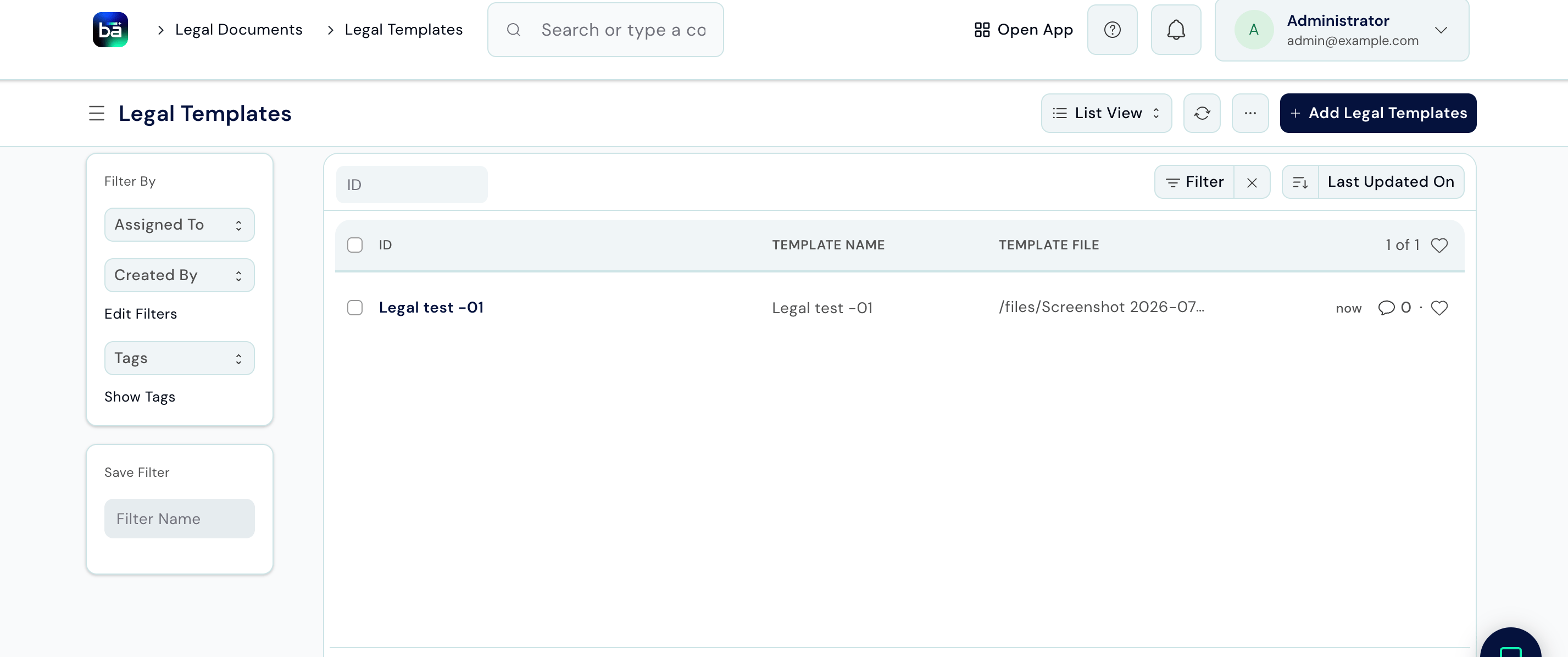
Templates save time when you regularly send the same type of notice - for example, a Section 138 demand notice or a cheque-return notice.
**Path:** Legal Documents → Setup → Legal Templates → New
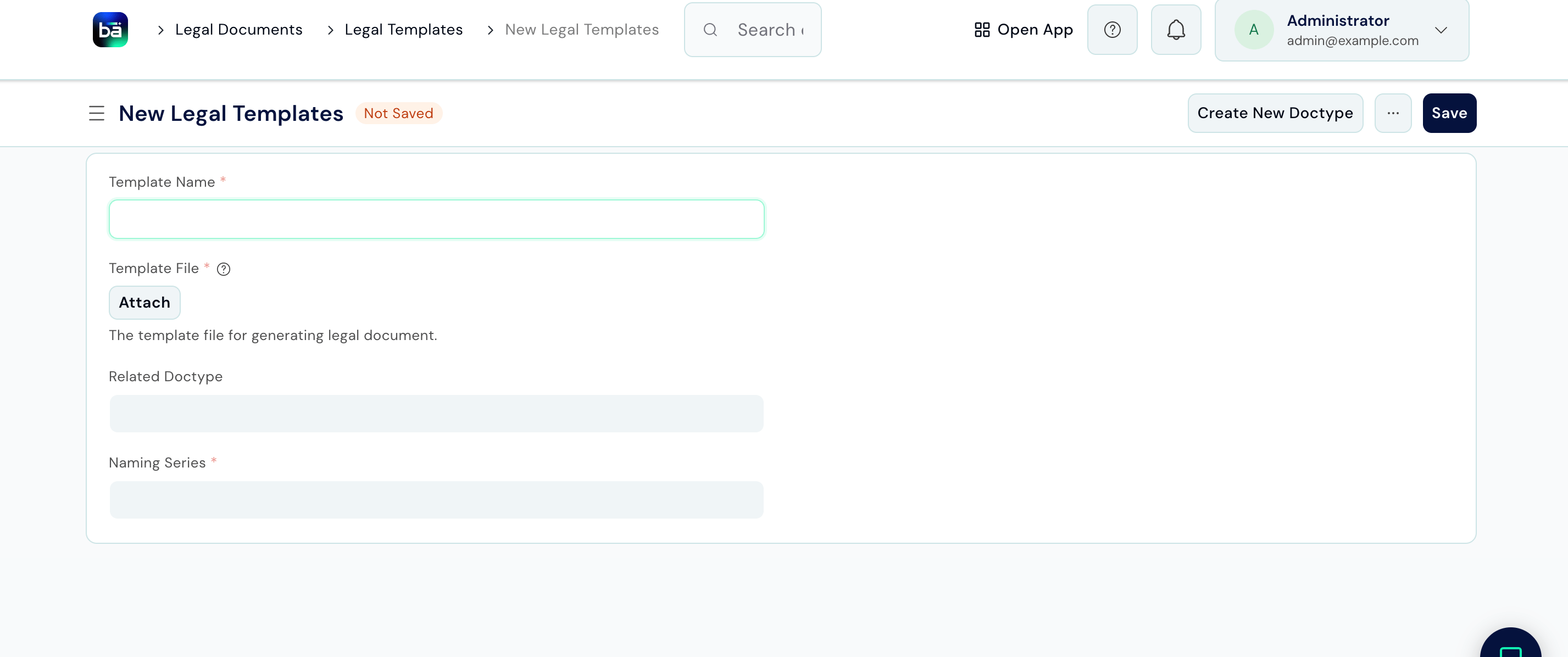 | Field | Description |
| ------------------- | --------------------------------------------------------------------------------------------------------------------------------------------------------------------------- |
| **Template Name** | A clear, descriptive name (e.g. "Section 138 Demand Notice", "Cheque Return Notice"). |
| **Template File** | The uploaded file used to generate the legal document. Use placeholders for details that change per matter - such as client name, amount, date of cheque, and bank details. |
| **Related Doctype** | The record type (e.g. Legal Notice) this template can be used to generate documents for. |
| **Naming Series** | The numbering pattern used to auto-generate the ID for this template record. |
| Field | Description |
| ------------------- | --------------------------------------------------------------------------------------------------------------------------------------------------------------------------- |
| **Template Name** | A clear, descriptive name (e.g. "Section 138 Demand Notice", "Cheque Return Notice"). |
| **Template File** | The uploaded file used to generate the legal document. Use placeholders for details that change per matter - such as client name, amount, date of cheque, and bank details. |
| **Related Doctype** | The record type (e.g. Legal Notice) this template can be used to generate documents for. |
| **Naming Series** | The numbering pattern used to auto-generate the ID for this template record. |
 ***
## Draft a Legal Notice
**Path:** Legal Documents → Legal Documents → Legal Notice → New
**Requires:** A matter or case should exist so the notice can be linked correctly.
***
## Draft a Legal Notice
**Path:** Legal Documents → Legal Documents → Legal Notice → New
**Requires:** A matter or case should exist so the notice can be linked correctly.
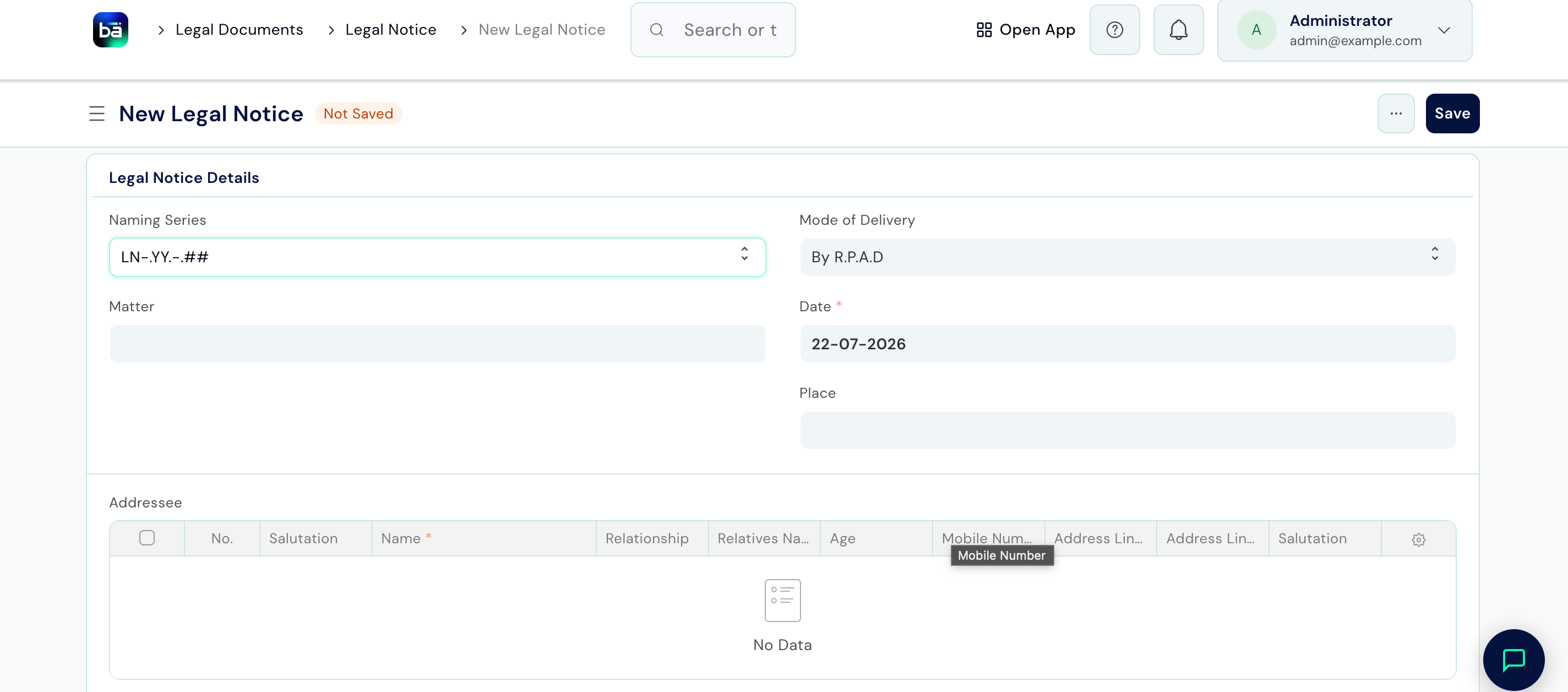 | Field | Description |
| -------------------- | ------------------------------------------------------------------- |
| **Naming Series** | The numbering pattern used to auto-generate the ID for this notice. |
| **Mode of Delivery** | How the notice will be dispatched (e.g. By R.P.A.D). |
| **Matter** | The client file this notice relates to. |
| **Date** | The date of the notice. |
| **Place** | Where the notice is issued from. |
**Addressee** (one row per recipient):
| Field | Description |
| ----------------------------------- | ------------------------------------------------------------------------- |
| **Salutation** | Title used to address the recipient (e.g. Mr., Mrs.). |
| **Name** | The recipient's full name. |
| **Relationship** | The recipient's relationship to the matter or another party, if relevant. |
| **Relatives Name** | Name of a related party, if applicable. |
| **Age** | The recipient's age. |
| **Mobile Number** | Contact number for the recipient. |
| **Address Line 1 / Address Line 2** | The recipient's mailing address. |
| Field | Description |
| -------------------- | ------------------------------------------------------------------- |
| **Naming Series** | The numbering pattern used to auto-generate the ID for this notice. |
| **Mode of Delivery** | How the notice will be dispatched (e.g. By R.P.A.D). |
| **Matter** | The client file this notice relates to. |
| **Date** | The date of the notice. |
| **Place** | Where the notice is issued from. |
**Addressee** (one row per recipient):
| Field | Description |
| ----------------------------------- | ------------------------------------------------------------------------- |
| **Salutation** | Title used to address the recipient (e.g. Mr., Mrs.). |
| **Name** | The recipient's full name. |
| **Relationship** | The recipient's relationship to the matter or another party, if relevant. |
| **Relatives Name** | Name of a related party, if applicable. |
| **Age** | The recipient's age. |
| **Mobile Number** | Contact number for the recipient. |
| **Address Line 1 / Address Line 2** | The recipient's mailing address. |
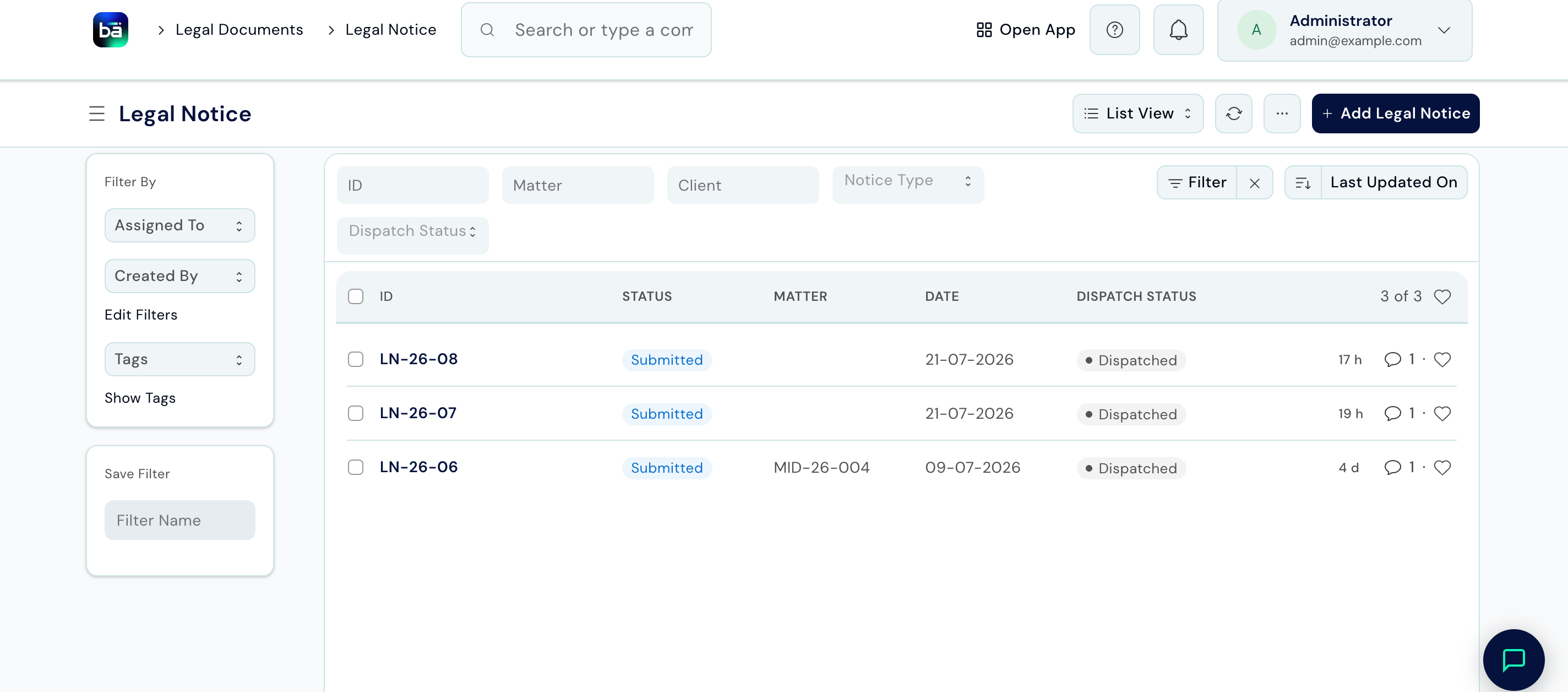 Once submitted, the notice is on record against the matter and its dispatch status (e.g. Dispatched) is tracked until it's delivered.
***
## Record Postal Dispatch
After a notice has been signed and sent, immediately record the dispatch details. This creates proof that the notice was sent, which may be required in court.
**Path:** Legal Documents → Inwards / Outwards → Postal Order → New
**Requires:** The Legal Notice must exist and be saved.
Once submitted, the notice is on record against the matter and its dispatch status (e.g. Dispatched) is tracked until it's delivered.
***
## Record Postal Dispatch
After a notice has been signed and sent, immediately record the dispatch details. This creates proof that the notice was sent, which may be required in court.
**Path:** Legal Documents → Inwards / Outwards → Postal Order → New
**Requires:** The Legal Notice must exist and be saved.
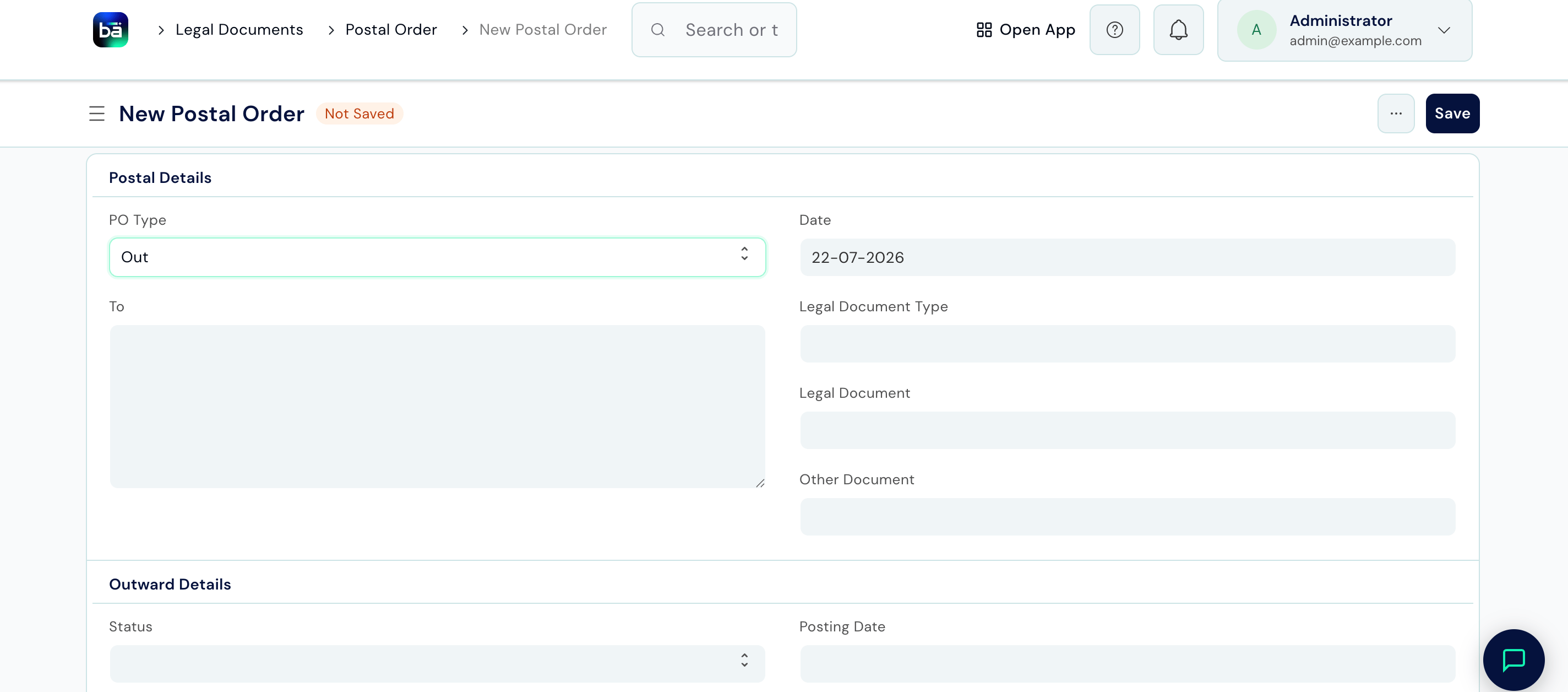 | Field | Description |
| ----------------------- | -------------------------------------------------------------------------- |
| **PO Type** | Whether this is an Outward (sent) or Inward (received) postal order. |
| **Date** | The date of the postal order. |
| **To** | The recipient's address, as used on the envelope. |
| **Legal Document Type** | The type of legal document being dispatched (e.g. Legal Notice). |
| **Legal Document** | Link to the specific legal document that was dispatched. |
| **Other Document** | Reference to any other document included with the dispatch, if applicable. |
| **Status** | Tracks the dispatch outcome (e.g. Delivered RPAD). |
| **Posting Date** | The date it was posted or handed to the courier. |
| Field | Description |
| ----------------------- | -------------------------------------------------------------------------- |
| **PO Type** | Whether this is an Outward (sent) or Inward (received) postal order. |
| **Date** | The date of the postal order. |
| **To** | The recipient's address, as used on the envelope. |
| **Legal Document Type** | The type of legal document being dispatched (e.g. Legal Notice). |
| **Legal Document** | Link to the specific legal document that was dispatched. |
| **Other Document** | Reference to any other document included with the dispatch, if applicable. |
| **Status** | Tracks the dispatch outcome (e.g. Delivered RPAD). |
| **Posting Date** | The date it was posted or handed to the courier. |
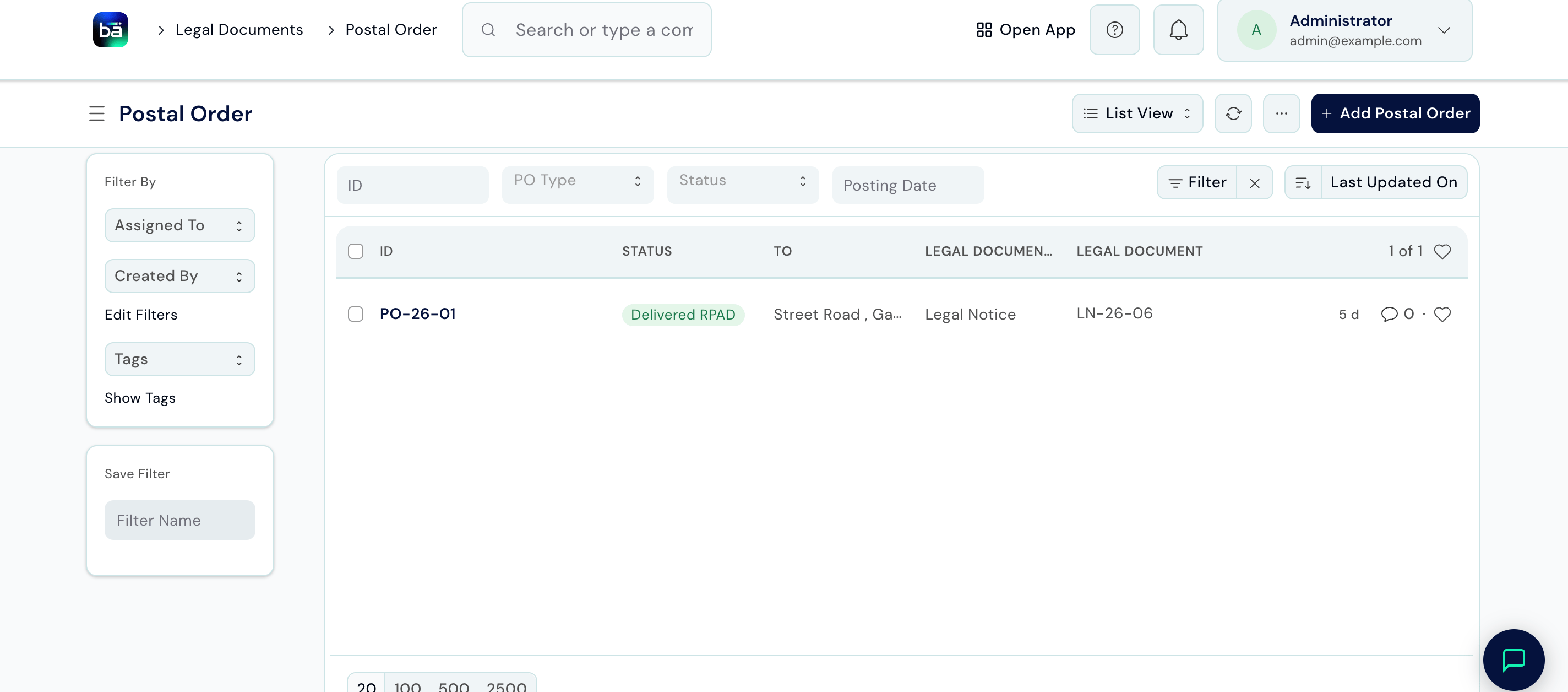 Update the **Status** to **Delivered** once confirmed, or **Returned** if the envelope came back undelivered.
***
## Tips
* **Always link a notice to a matter** - notices without a matter link cannot be retrieved from the client file and create orphaned records.
* **Replace every placeholder before saving** - a notice sent with a placeholder like `[Client Name]` still in the text is unprofessional and potentially damaging.
* **Record the Postal Order on the day of dispatch** - if the other side later denies receiving the notice, a same-day entry combined with a tracking number is strong evidence.
* **Update Status to Delivered** once you have tracking confirmation. This closes the loop on the dispatch record and makes it clear the notice reached its destination.
* **For urgent matters** where tracking is critical (e.g. Section 138 notices), use Speed Post or a reliable courier that provides online tracking, and copy the tracking URL into the Tracking Number field.
Update the **Status** to **Delivered** once confirmed, or **Returned** if the envelope came back undelivered.
***
## Tips
* **Always link a notice to a matter** - notices without a matter link cannot be retrieved from the client file and create orphaned records.
* **Replace every placeholder before saving** - a notice sent with a placeholder like `[Client Name]` still in the text is unprofessional and potentially damaging.
* **Record the Postal Order on the day of dispatch** - if the other side later denies receiving the notice, a same-day entry combined with a tracking number is strong evidence.
* **Update Status to Delivered** once you have tracking confirmation. This closes the loop on the dispatch record and makes it clear the notice reached its destination.
* **For urgent matters** where tracking is critical (e.g. Section 138 notices), use Speed Post or a reliable courier that provides online tracking, and copy the tracking URL into the Tracking Number field.