> ## Documentation Index
> Fetch the complete documentation index at: https://docs.bizaxl.com/llms.txt
> Use this file to discover all available pages before exploring further.
# Getting Around
> A guide to the Law Management workspace - shortcut tiles, navigation card groups, and the Legal Documents sub-workspace.
When you open Law Management, you land on the home workspace. This page explains every element you see and where each link takes you.
For platform-wide navigation (switching apps, managing your account, notifications), see the [Bizaxl platform docs](/bizaxl/introduction).
***
## Shortcut Tiles
Six shortcut tiles sit at the top of the workspace. Each one shows a live count and takes you directly to that list.
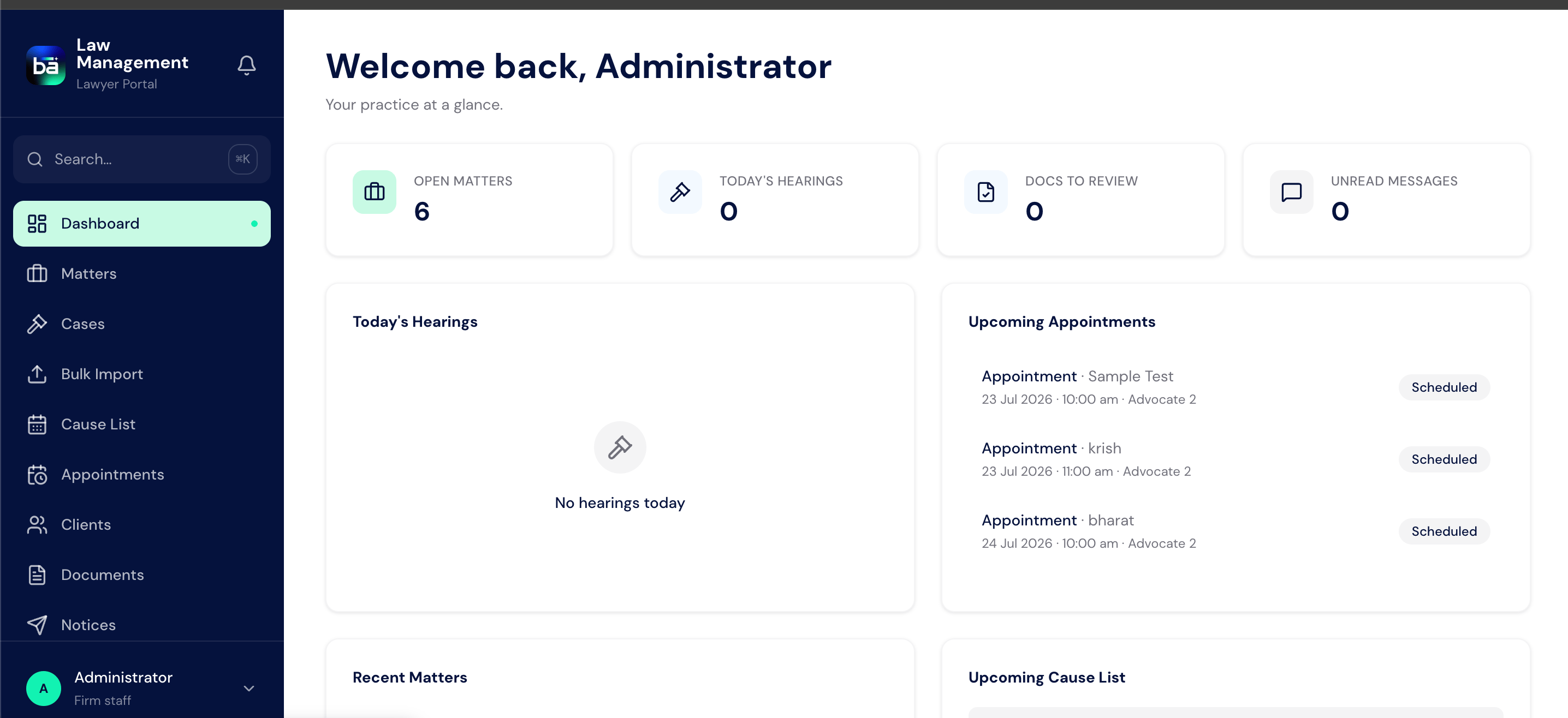 | Tile | Live Count | Where it takes you |
| ------------- | ----------------------------------- | -------------------------------------- |
| **Client** | Total active clients (not disabled) | Full client list |
| **Matter** | All matters that are not Cancelled | Full matter list |
| **Case** | Cases with status = In Progress | Cases filtered to In Progress |
| **Caveat** | All caveat petitions | Full caveat list |
| **Task** | All tasks across every matter | Full task list |
| **Dashboard** | - (no count) | The Law Management analytics dashboard |
Click the number on any tile to jump straight to the filtered list.
***
## Navigation Card Groups
Below the shortcuts, the workspace is organised into nine card groups. Each group contains links to related records.
| Tile | Live Count | Where it takes you |
| ------------- | ----------------------------------- | -------------------------------------- |
| **Client** | Total active clients (not disabled) | Full client list |
| **Matter** | All matters that are not Cancelled | Full matter list |
| **Case** | Cases with status = In Progress | Cases filtered to In Progress |
| **Caveat** | All caveat petitions | Full caveat list |
| **Task** | All tasks across every matter | Full task list |
| **Dashboard** | - (no count) | The Law Management analytics dashboard |
Click the number on any tile to jump straight to the filtered list.
***
## Navigation Card Groups
Below the shortcuts, the workspace is organised into nine card groups. Each group contains links to related records.
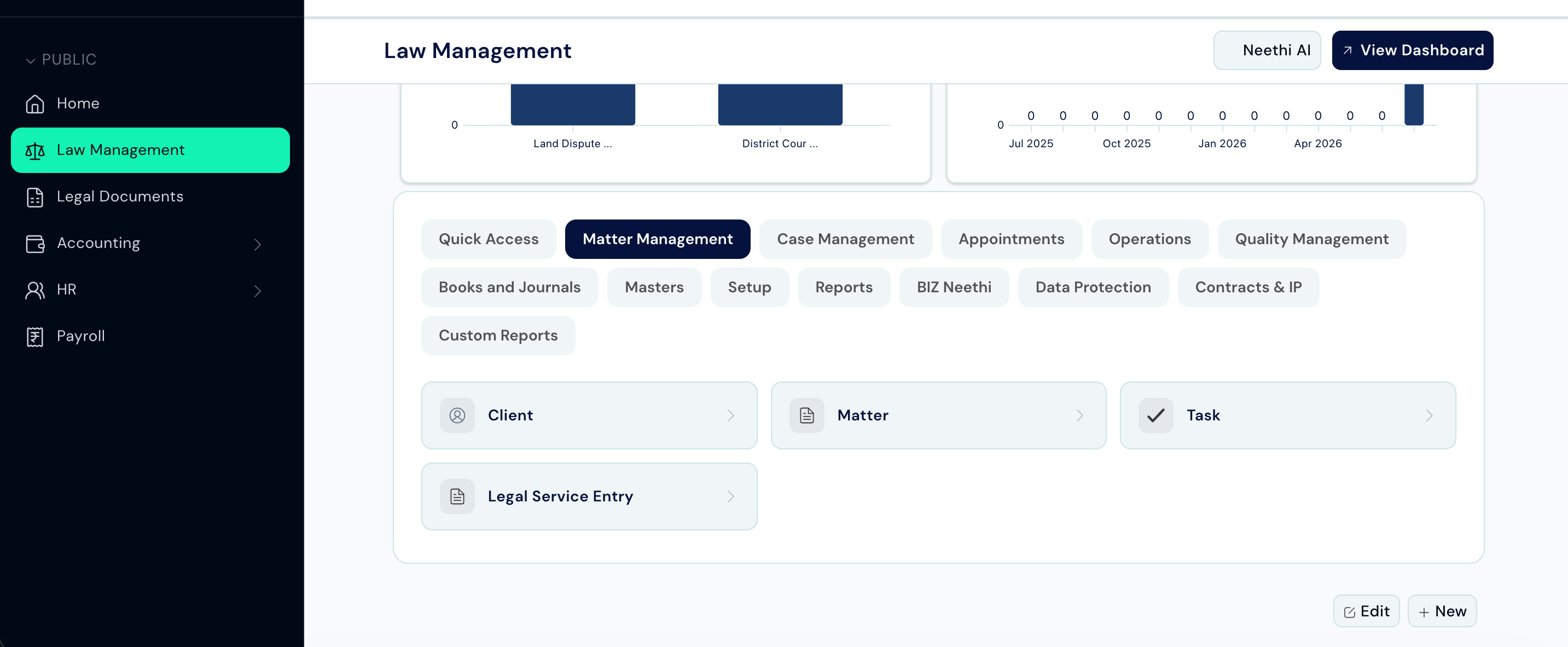 ### Matter Management
The day-to-day client file management group.
| Link | What it opens |
| ----------------------- | --------------------------------------------------- |
| **Client** | All clients registered in the system. |
| **Matter** | All client files - the main unit of work. |
| **Task** | Tasks created within matters across the whole firm. |
| **Legal Service Entry** | Billable service records raised against matters. |
### Case Management
Court case records.
| Link | What it opens |
| ---------- | ----------------------------------------------------------------------------- |
| **Case** | All court cases, searchable by CNR, court, and status. |
| **Caveat** | Caveat petitions filed to protect client interests before an order is passed. |
### Appointments
Client meeting management.
| Link | What it opens |
| ------------------------ | -------------------------------------------------------------------- |
| **Customer Appointment** | All booked client meetings. |
| **Lawyer Schedule** | Availability calendars for each lawyer. |
| **Timesheet** | Time logged by staff against matters and tasks. |
| **Meeting Room** | Physical and virtual rooms configured for appointments. |
| **Appointment Type** | Categories of appointments (e.g. Initial Consultation, Case Review). |
### Operations
Administrative operations.
| Link | What it opens |
| -------------------- | ---------------------------------------------------------------------------- |
| **Document Request** | Requests for documents needed from a client, tracked by due date and status. |
| **Legal Service** | The firm's billing catalogue - services that can be recorded and invoiced. |
### Quality Management
Practice quality tracking.
| Link | What it opens |
| ------------------ | --------------------------------------------------------- |
| **Quality Goal** | Measurable standards the firm aims to meet. |
| **Quality Review** | Periodic reviews assessing performance against each goal. |
### Books and Journals
In-house library management.
| Link | What it opens |
| ------------- | ---------------------------------------------------------------- |
| **Book** | Reference books held in the firm's library. |
| **Book Type** | Categories of books (e.g. Legislation, Commentary, Law Journal). |
| **Lend Book** | Records of books borrowed by staff or guests. |
### Masters
Reference data that other records depend on. Configured once by an Administrator.
| Link | What it opens |
| ---------------- | ------------------------------------------------------------------ |
| **Matter Type** | Top-level categories of legal work (e.g. Civil, Criminal, Family). |
| **Service Type** | Sub-categories of legal services. |
| **File Type** | Classification codes for labelling physical client files. |
| **Service** | Courts and jurisdictions the firm practises in. |
| **Task Type** | Categories of internal tasks (e.g. Drafting, Research, Filing). |
### Setup
System configuration.
| Link | What it opens |
| --------------------------- | ----------------------------------------------------------------------------------- |
| **Branch** | Office locations of the firm. |
| **Matter Template** | Pre-built templates for opening standard types of matters with tasks pre-populated. |
| **Law Management Settings** | Global system settings. |
### Reports
| Link | What it opens |
| -------------------------- | ------------------------------------------------------------ |
| **Law Management Metrics** | A query report showing key metrics across cases and matters. |
***
## Legal Documents Sub-Workspace
Legal Documents is a sub-workspace nested under Law Management. It has its own shortcut and card groups.
**How to get there:** Select **Legal Documents** from the module menu.
### Matter Management
The day-to-day client file management group.
| Link | What it opens |
| ----------------------- | --------------------------------------------------- |
| **Client** | All clients registered in the system. |
| **Matter** | All client files - the main unit of work. |
| **Task** | Tasks created within matters across the whole firm. |
| **Legal Service Entry** | Billable service records raised against matters. |
### Case Management
Court case records.
| Link | What it opens |
| ---------- | ----------------------------------------------------------------------------- |
| **Case** | All court cases, searchable by CNR, court, and status. |
| **Caveat** | Caveat petitions filed to protect client interests before an order is passed. |
### Appointments
Client meeting management.
| Link | What it opens |
| ------------------------ | -------------------------------------------------------------------- |
| **Customer Appointment** | All booked client meetings. |
| **Lawyer Schedule** | Availability calendars for each lawyer. |
| **Timesheet** | Time logged by staff against matters and tasks. |
| **Meeting Room** | Physical and virtual rooms configured for appointments. |
| **Appointment Type** | Categories of appointments (e.g. Initial Consultation, Case Review). |
### Operations
Administrative operations.
| Link | What it opens |
| -------------------- | ---------------------------------------------------------------------------- |
| **Document Request** | Requests for documents needed from a client, tracked by due date and status. |
| **Legal Service** | The firm's billing catalogue - services that can be recorded and invoiced. |
### Quality Management
Practice quality tracking.
| Link | What it opens |
| ------------------ | --------------------------------------------------------- |
| **Quality Goal** | Measurable standards the firm aims to meet. |
| **Quality Review** | Periodic reviews assessing performance against each goal. |
### Books and Journals
In-house library management.
| Link | What it opens |
| ------------- | ---------------------------------------------------------------- |
| **Book** | Reference books held in the firm's library. |
| **Book Type** | Categories of books (e.g. Legislation, Commentary, Law Journal). |
| **Lend Book** | Records of books borrowed by staff or guests. |
### Masters
Reference data that other records depend on. Configured once by an Administrator.
| Link | What it opens |
| ---------------- | ------------------------------------------------------------------ |
| **Matter Type** | Top-level categories of legal work (e.g. Civil, Criminal, Family). |
| **Service Type** | Sub-categories of legal services. |
| **File Type** | Classification codes for labelling physical client files. |
| **Service** | Courts and jurisdictions the firm practises in. |
| **Task Type** | Categories of internal tasks (e.g. Drafting, Research, Filing). |
### Setup
System configuration.
| Link | What it opens |
| --------------------------- | ----------------------------------------------------------------------------------- |
| **Branch** | Office locations of the firm. |
| **Matter Template** | Pre-built templates for opening standard types of matters with tasks pre-populated. |
| **Law Management Settings** | Global system settings. |
### Reports
| Link | What it opens |
| -------------------------- | ------------------------------------------------------------ |
| **Law Management Metrics** | A query report showing key metrics across cases and matters. |
***
## Legal Documents Sub-Workspace
Legal Documents is a sub-workspace nested under Law Management. It has its own shortcut and card groups.
**How to get there:** Select **Legal Documents** from the module menu.
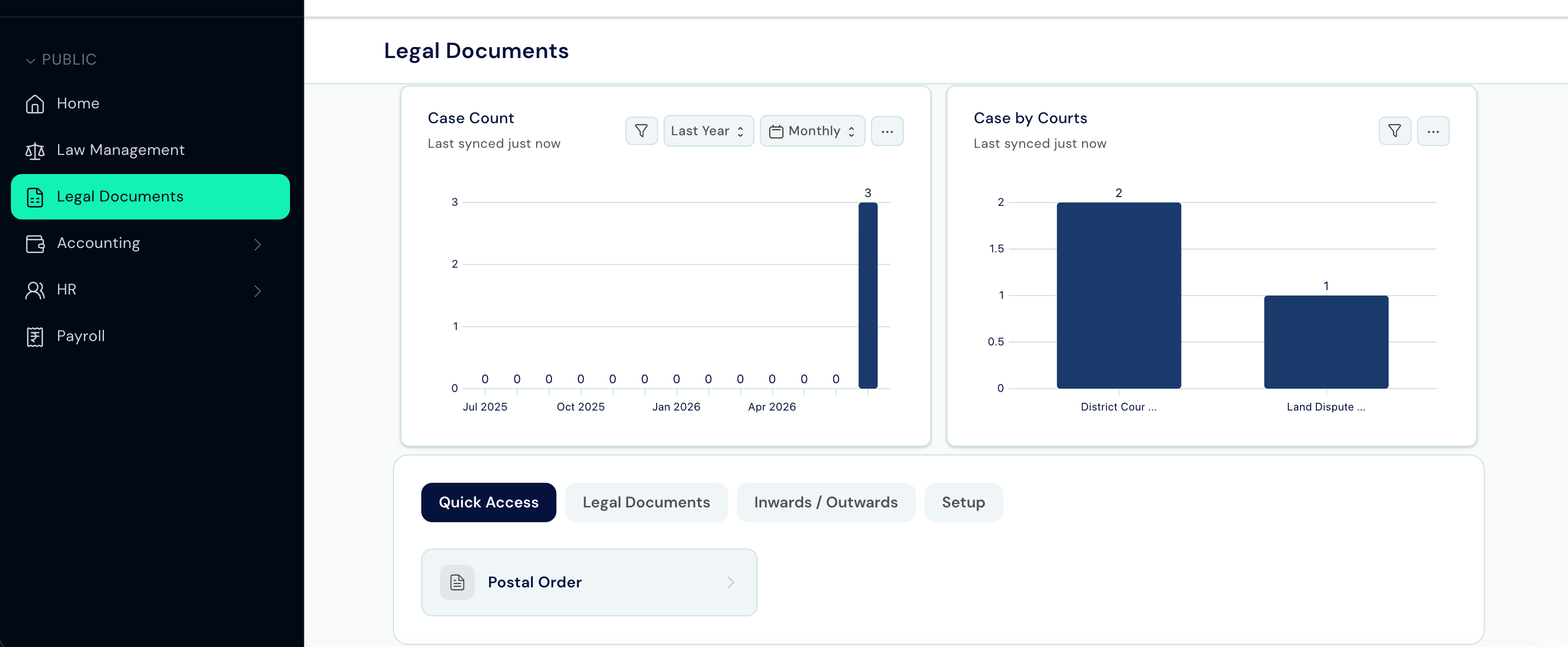 ### Shortcut
| Tile | What it shows |
| ---------------- | ---------------------------- |
| **Postal Order** | All postal dispatch records. |
### Card Groups
| Group | Links inside |
| ---------------------- | ------------------------------------------------------------------ |
| **Legal Documents** | Legal Notice - formal notices sent to the other side. |
| **Inwards / Outwards** | Postal Order - records of physical dispatch with tracking details. |
| **Setup** | Legal Templates - reusable drafts for common notice types. |
***
## Tips
* The **Matter** tile count includes all non-cancelled matters, not just open ones. Filter by Status = Open inside the list to see your active caseload only.
* The **Dashboard** shortcut opens a separate analytics view - it is not a count tile.
* If you cannot see a card group or link, your role may not have access to that record type. Contact your Administrator.
### Shortcut
| Tile | What it shows |
| ---------------- | ---------------------------- |
| **Postal Order** | All postal dispatch records. |
### Card Groups
| Group | Links inside |
| ---------------------- | ------------------------------------------------------------------ |
| **Legal Documents** | Legal Notice - formal notices sent to the other side. |
| **Inwards / Outwards** | Postal Order - records of physical dispatch with tracking details. |
| **Setup** | Legal Templates - reusable drafts for common notice types. |
***
## Tips
* The **Matter** tile count includes all non-cancelled matters, not just open ones. Filter by Status = Open inside the list to see your active caseload only.
* The **Dashboard** shortcut opens a separate analytics view - it is not a count tile.
* If you cannot see a card group or link, your role may not have access to that record type. Contact your Administrator.