> ## Documentation Index
> Fetch the complete documentation index at: https://docs.bizaxl.com/llms.txt
> Use this file to discover all available pages before exploring further.
# Appointments
> Set up lawyer availability, book client meetings, log time against matters, and track document requests in Law Management.
**Roles:** Booking appointments and managing schedules is done by **Legal Staff**. Viewing and attending appointments is also available to **Staff** (front desk, support). Meeting Rooms and Appointment Types are configured by an **Administrator** - see [Setup](/professional-services/law-management/setup).
**Upstream dependencies:** Appointment Types and Meeting Rooms must be configured in [Setup](/professional-services/law-management/setup) before appointments can be booked. A Client must exist before a Customer Appointment can be created.
**Downstream:** Timesheets logged here feed into BAS payroll and billing. Document Request records track outstanding document requests for client matters.
***
## How Appointments Work
Before a client can be booked in, the following must be in place:
```mermaid theme={null}
%%{init: {'theme':'base','themeVariables':{'fontFamily':'DM Sans','primaryColor':'#e7fdf6','primaryBorderColor':'#14f1b1','primaryTextColor':'#0f172a','lineColor':'#14f1b1'}}}%%
flowchart LR
AT[Appointment Type] --> MR[Meeting Room] --> LS[Lawyer Schedule] --> CA[Customer Appointment]
```
Appointment Types and Meeting Rooms are set up once by an **Administrator**. Lawyer Schedules and Customer Appointments are managed by **Legal Staff**.
***
## Meeting Rooms
Meeting rooms define where appointments take place - physical rooms or virtual meeting links.
**Path:** Law Management → Appointments → Meeting Room → New
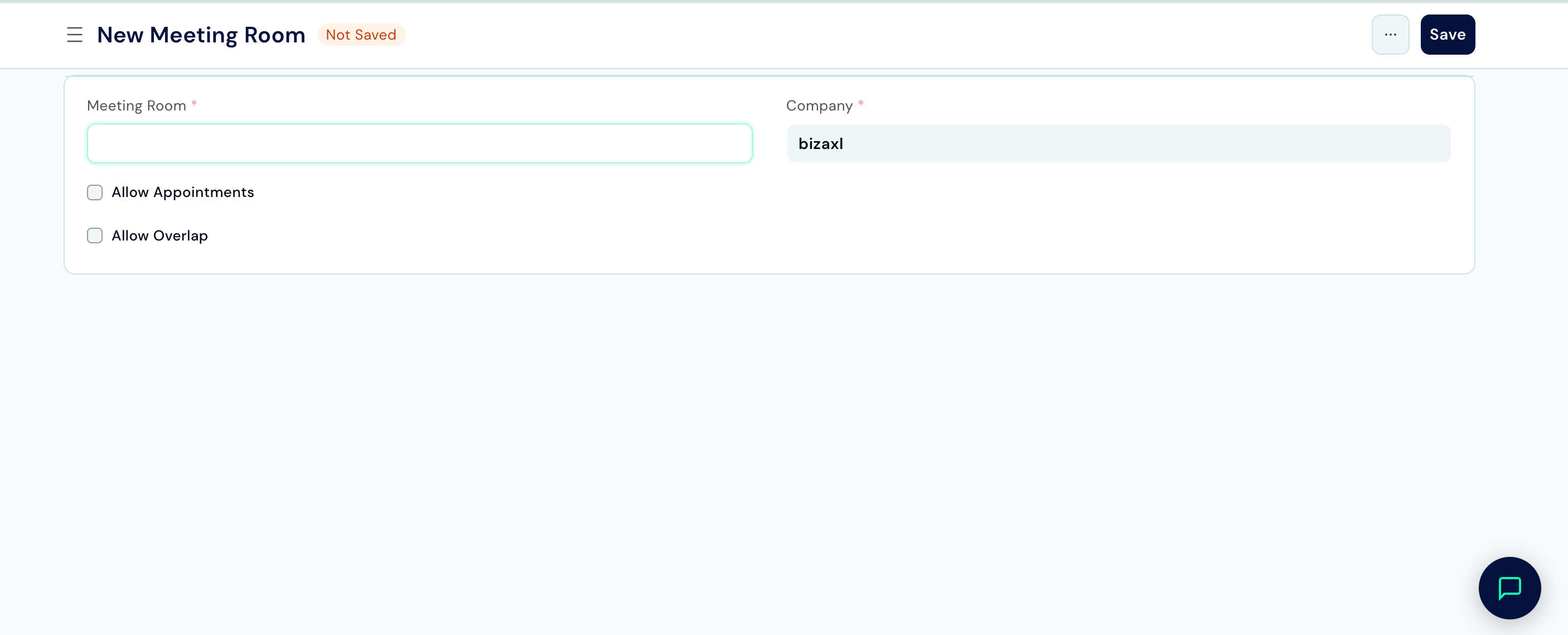 | Field | Description |
| ------------------------- | ------------------------------------------------------------- |
| **Meeting Room** | Name or room number (e.g. "Conference Room 1", "Video Call"). |
| **Company** | The branch this room belongs to. |
| **Allow Appointments** | Enable to make this room bookable. |
| **Meeting Room Capacity** | Maximum number of people the room can hold. |
| **Overlap Appointments** | Enable if back-to-back bookings without a gap are allowed. |
***
## Lawyer Schedules
A Lawyer Schedule defines when a specific lawyer is available to meet clients.
**Path:** Law Management → Appointments → Lawyer Schedule → New
**Requires:** At least one Appointment Type must exist.
| Field | Description |
| ------------------------- | ------------------------------------------------------------- |
| **Meeting Room** | Name or room number (e.g. "Conference Room 1", "Video Call"). |
| **Company** | The branch this room belongs to. |
| **Allow Appointments** | Enable to make this room bookable. |
| **Meeting Room Capacity** | Maximum number of people the room can hold. |
| **Overlap Appointments** | Enable if back-to-back bookings without a gap are allowed. |
***
## Lawyer Schedules
A Lawyer Schedule defines when a specific lawyer is available to meet clients.
**Path:** Law Management → Appointments → Lawyer Schedule → New
**Requires:** At least one Appointment Type must exist.
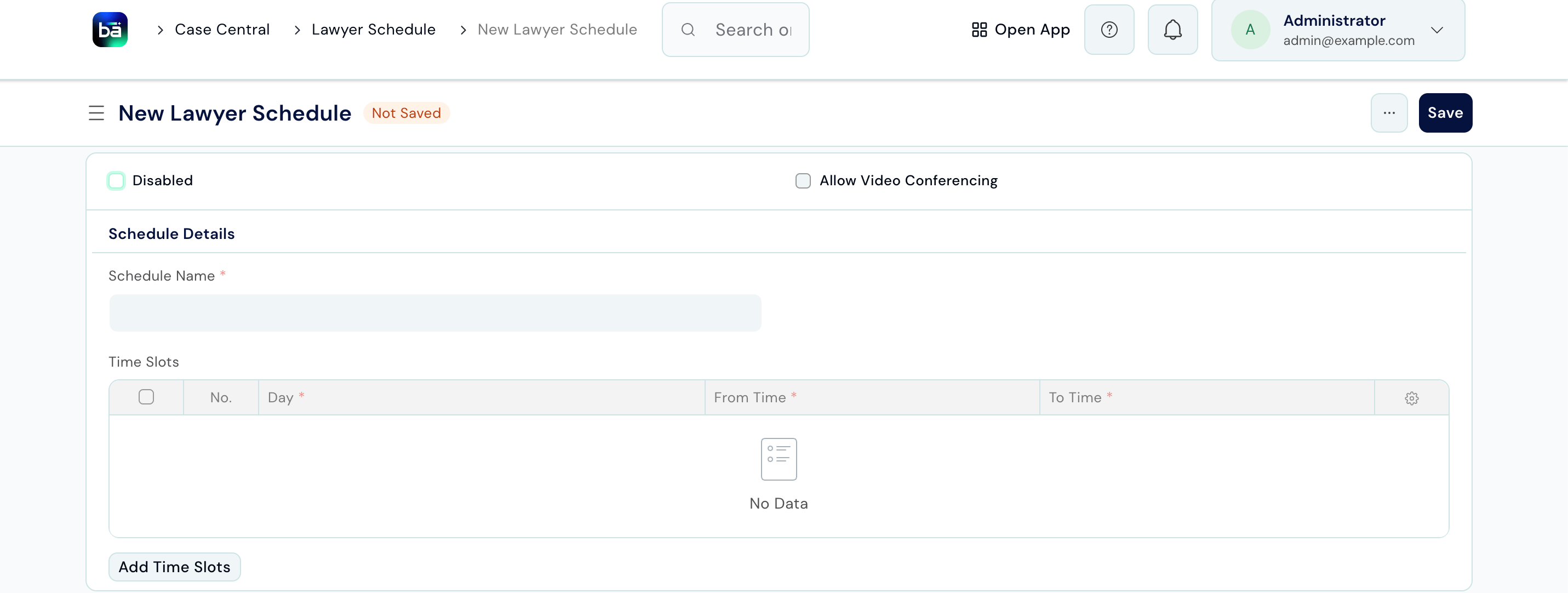 | Field | Description |
| ---------------------------- | ------------------------------------------------------------------------- |
| **Schedule Name** | A label for this schedule (e.g. "Mon–Fri Morning", "Tuesday Afternoons"). |
| **Allow Video Conferencing** | Enable if the lawyer accepts video call appointments in this schedule. |
| **Disabled** | Toggle to deactivate the schedule temporarily without deleting it. |
After saving, add **Time Slots** in the Time Slots table:
| Field | Description |
| ---------------------------- | ------------------------------------------------------------------------- |
| **Schedule Name** | A label for this schedule (e.g. "Mon–Fri Morning", "Tuesday Afternoons"). |
| **Allow Video Conferencing** | Enable if the lawyer accepts video call appointments in this schedule. |
| **Disabled** | Toggle to deactivate the schedule temporarily without deleting it. |
After saving, add **Time Slots** in the Time Slots table:
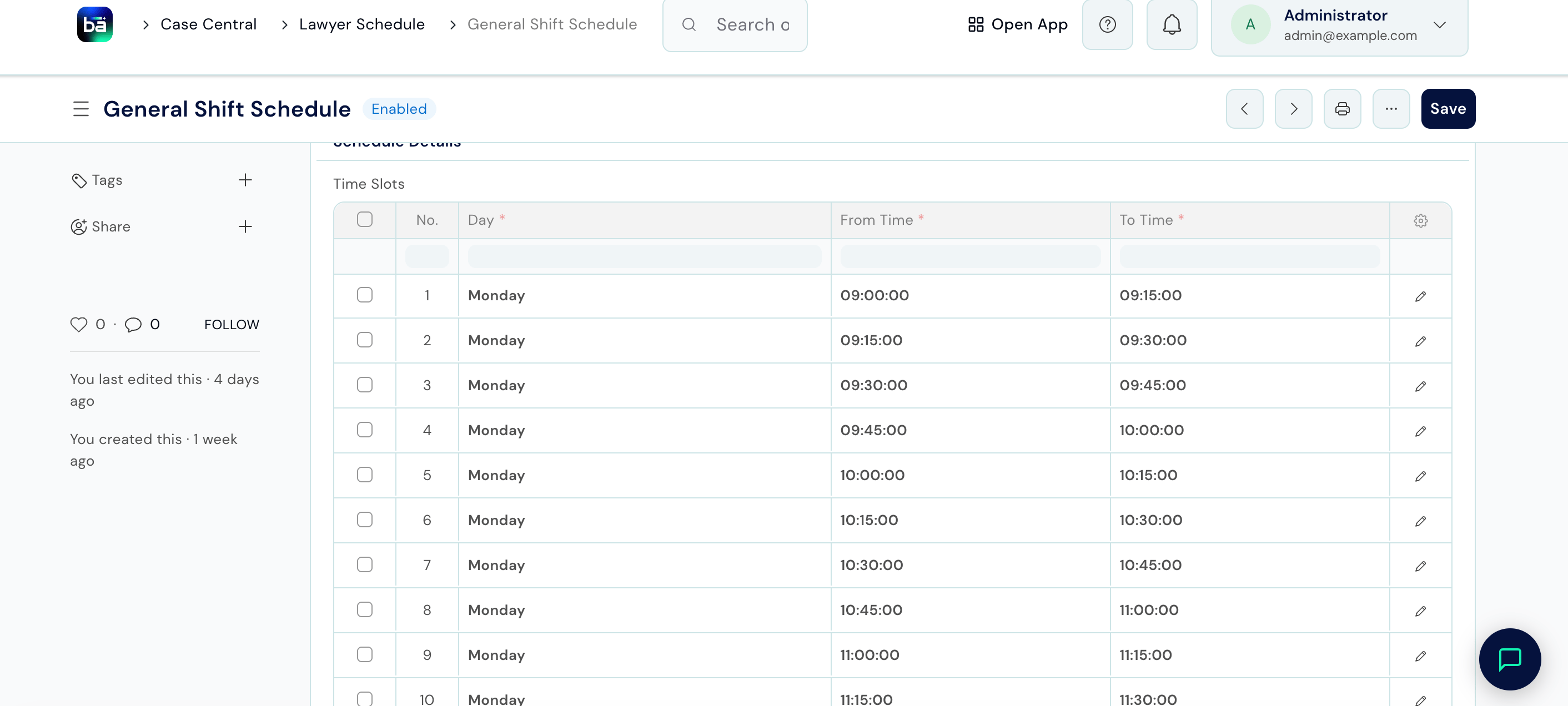 | Field | Description |
| --------------- | ----------------------------------------------------- |
| **Day of Week** | The day this slot applies to (Monday, Tuesday, etc.). |
| **From Time** | Start of the availability window. |
| **To Time** | End of the availability window. |
Add one row per availability window. A lawyer working mornings Monday–Friday would have five rows.
***
## Book a Customer Appointment
**Path:** Law Management → Appointments → Customer Appointment → New
**Requires:** The client must exist. Appointment Type, Meeting Room, and the lawyer's Schedule must be set up.
| Field | Description |
| --------------- | ----------------------------------------------------- |
| **Day of Week** | The day this slot applies to (Monday, Tuesday, etc.). |
| **From Time** | Start of the availability window. |
| **To Time** | End of the availability window. |
Add one row per availability window. A lawyer working mornings Monday–Friday would have five rows.
***
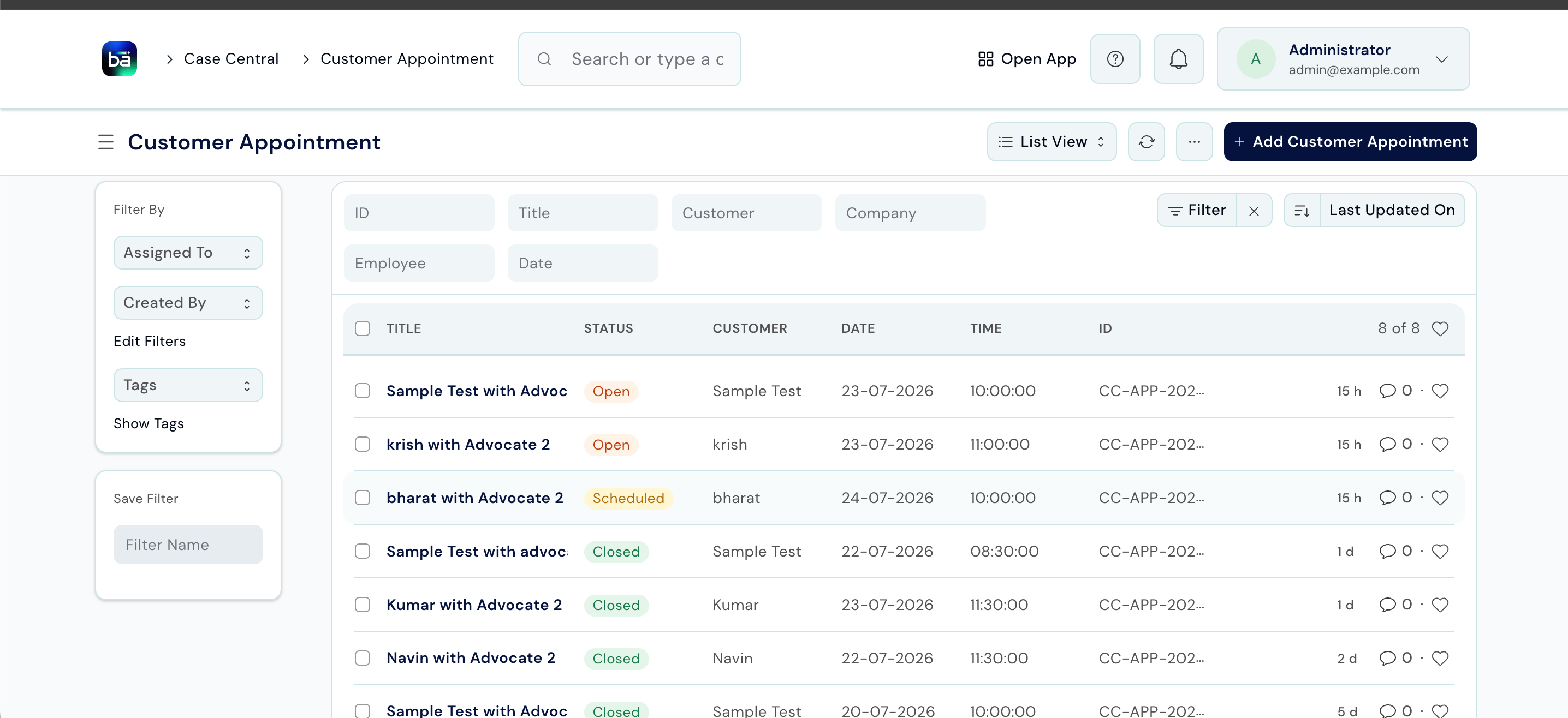
## Book a Customer Appointment
**Path:** Law Management → Appointments → Customer Appointment → New
**Requires:** The client must exist. Appointment Type, Meeting Room, and the lawyer's Schedule must be set up.
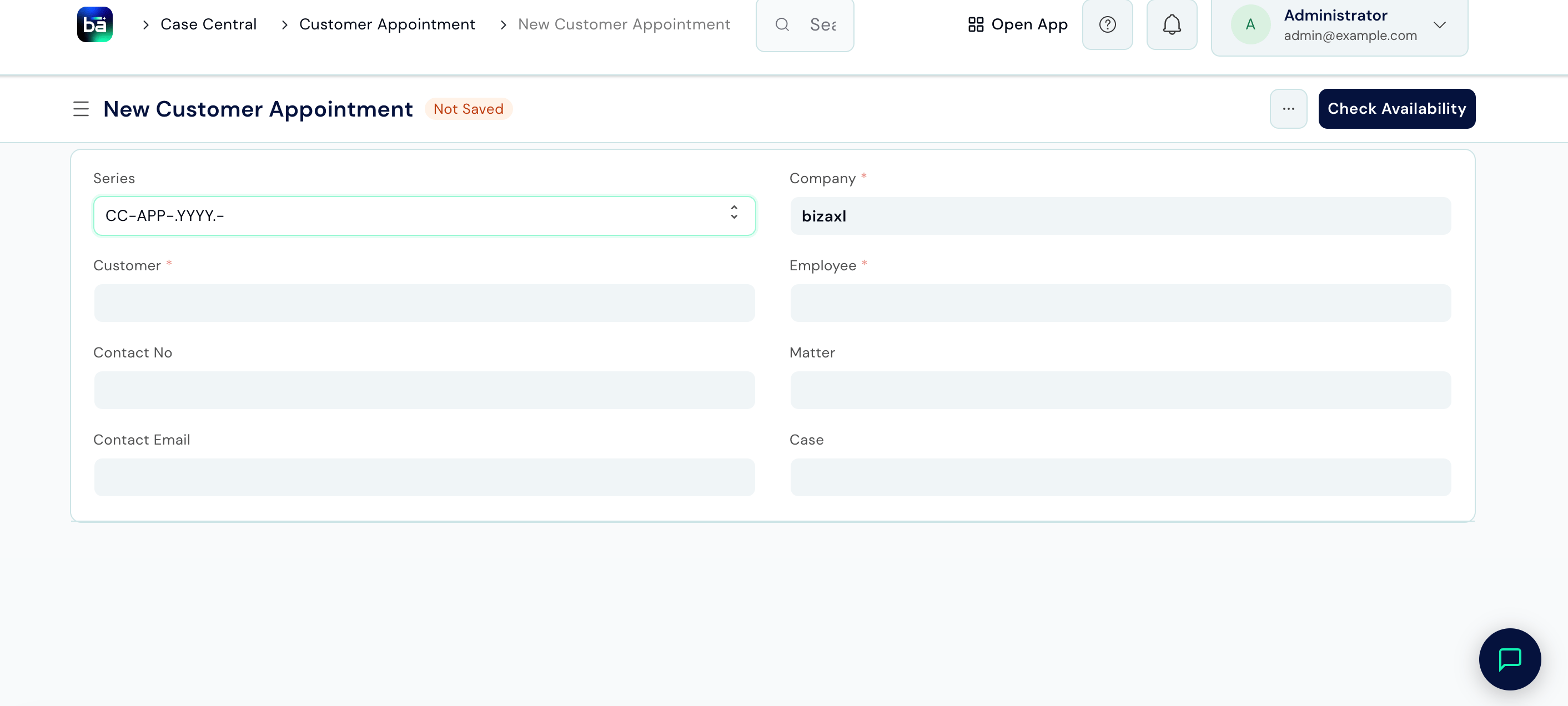 | Field | Description |
| -------------------- | ----------------------------------------------------------- |
| **Title** | Auto-generated or enter a short description of the meeting. |
| **Client** | The client coming in for the meeting. |
| **Employee** | The lawyer or staff member the client is meeting. |
| **Contact No.** | Client's contact number for the day of the appointment. |
| **Company** | The branch where the appointment is taking place. |
| **Appointment Type** | Category of the meeting. |
| **Date** | The appointment date. |
| **Time** | The scheduled start time. |
| **Meeting Room** | Where the meeting will take place. |
| **Status** | Open, Confirmed, Cancelled, or No Show. |
| Field | Description |
| -------------------- | ----------------------------------------------------------- |
| **Title** | Auto-generated or enter a short description of the meeting. |
| **Client** | The client coming in for the meeting. |
| **Employee** | The lawyer or staff member the client is meeting. |
| **Contact No.** | Client's contact number for the day of the appointment. |
| **Company** | The branch where the appointment is taking place. |
| **Appointment Type** | Category of the meeting. |
| **Date** | The appointment date. |
| **Time** | The scheduled start time. |
| **Meeting Room** | Where the meeting will take place. |
| **Status** | Open, Confirmed, Cancelled, or No Show. |
 ***
## Timesheets
Timesheets let staff log the time they spend on matters and tasks. This feeds into BAS for payroll and client billing.
**Path:** Law Management → Appointments → Timesheet → New
***
## Timesheets
Timesheets let staff log the time they spend on matters and tasks. This feeds into BAS for payroll and client billing.
**Path:** Law Management → Appointments → Timesheet → New
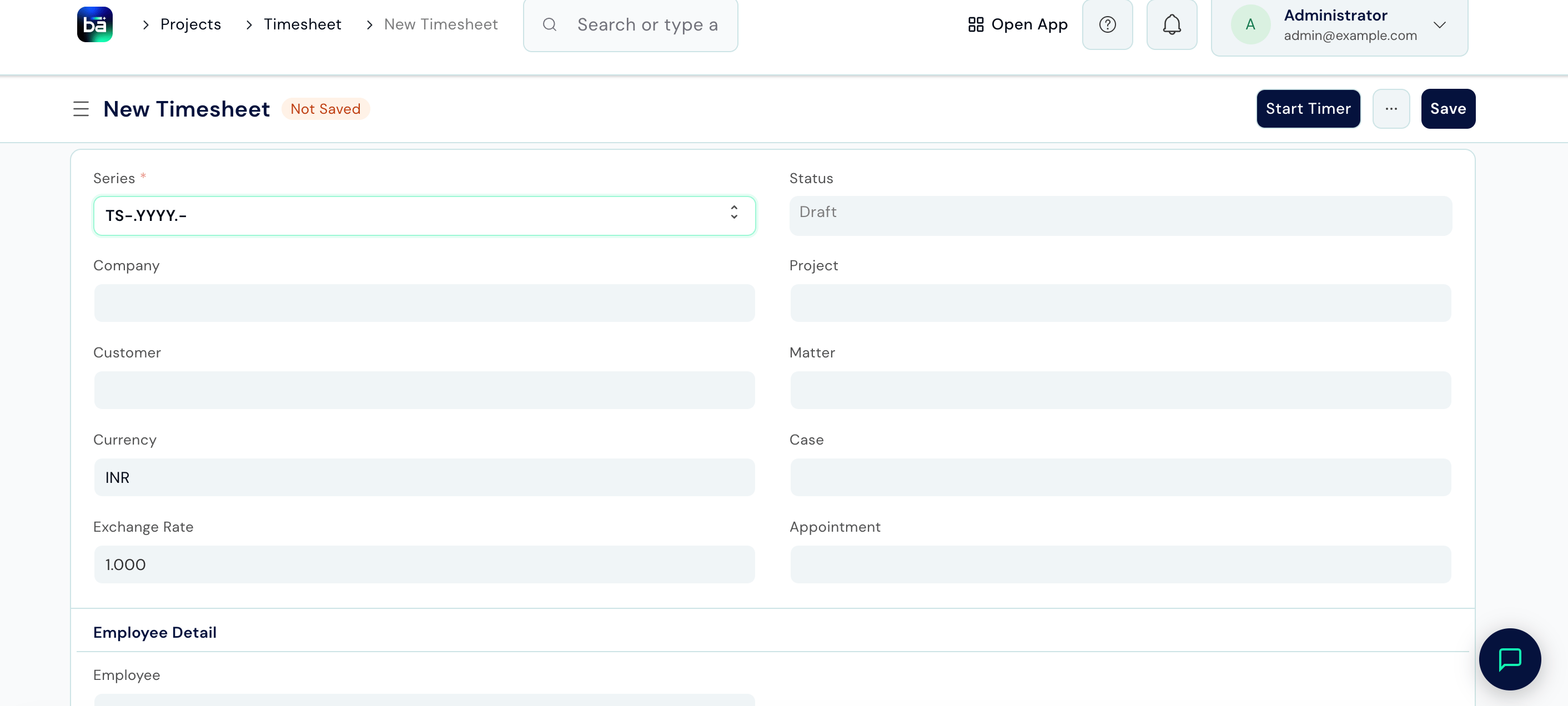 | Field | Description |
| ----------------------- | ----------------------------------------------------------------------- |
| **Employee** | The staff member logging time. |
| **Date** | The date the work was performed. |
| **Activity Type** | What kind of work was done (e.g. Research, Drafting, Court Appearance). |
| **From Time / To Time** | Start and end of the working session. |
| **Hours** | Calculated automatically from From/To times; can be overridden. |
| **Project / Task** | Link to the matter or the specific task within it. |
| **Billing Hours** | The hours to bill the client - may differ from total hours logged. |
For payroll and invoicing processing, see the [BAS documentation](/bas/introduction).
***
## Document Request
When you need documents from a client for a matter, create a Document Request to track what's needed and by when.
**Path:** Law Management → Operations → Document Request → New
**Requires:** A matter must exist.
| Field | Description |
| ----------------------- | ----------------------------------------------------------------------- |
| **Employee** | The staff member logging time. |
| **Date** | The date the work was performed. |
| **Activity Type** | What kind of work was done (e.g. Research, Drafting, Court Appearance). |
| **From Time / To Time** | Start and end of the working session. |
| **Hours** | Calculated automatically from From/To times; can be overridden. |
| **Project / Task** | Link to the matter or the specific task within it. |
| **Billing Hours** | The hours to bill the client - may differ from total hours logged. |
For payroll and invoicing processing, see the [BAS documentation](/bas/introduction).
***
## Document Request
When you need documents from a client for a matter, create a Document Request to track what's needed and by when.
**Path:** Law Management → Operations → Document Request → New
**Requires:** A matter must exist.
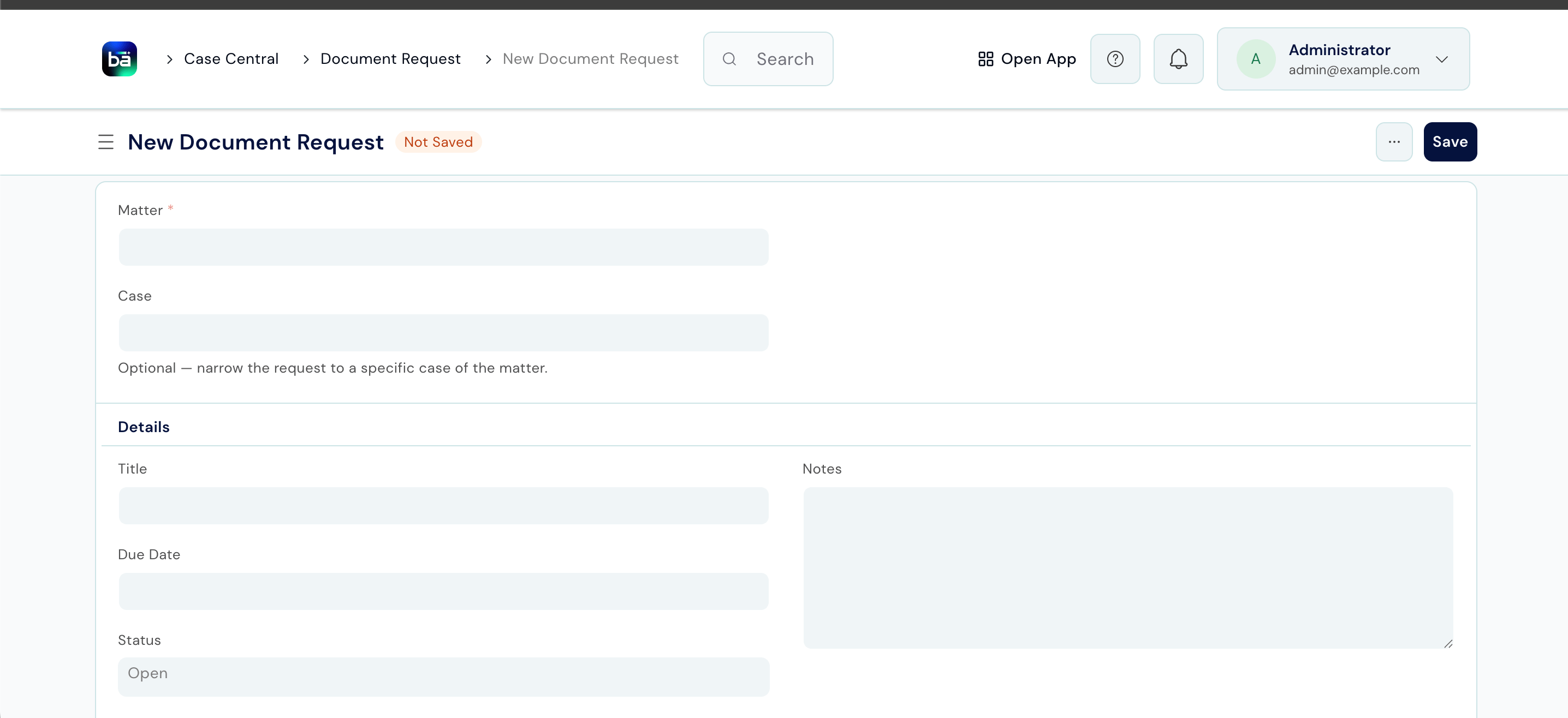 | Field | Description |
| ------------ | -------------------------------------------------------------------------------------------------- |
| **Matter** | The matter this request relates to. |
| **Case** | Optional - narrow the request to a specific case of the matter. |
| **Customer** | Auto-populated from the linked matter's client. |
| **Title** | A label describing what's being requested (e.g. "Signed Vakalatnama", "Bank Statements for FY24"). |
| **Due Date** | When the documents are needed by. |
| **Status** | `Open` by default; updates to `Partially Uploaded` as documents come in. |
| **Notes** | Any additional details about what's needed or context for the request. |
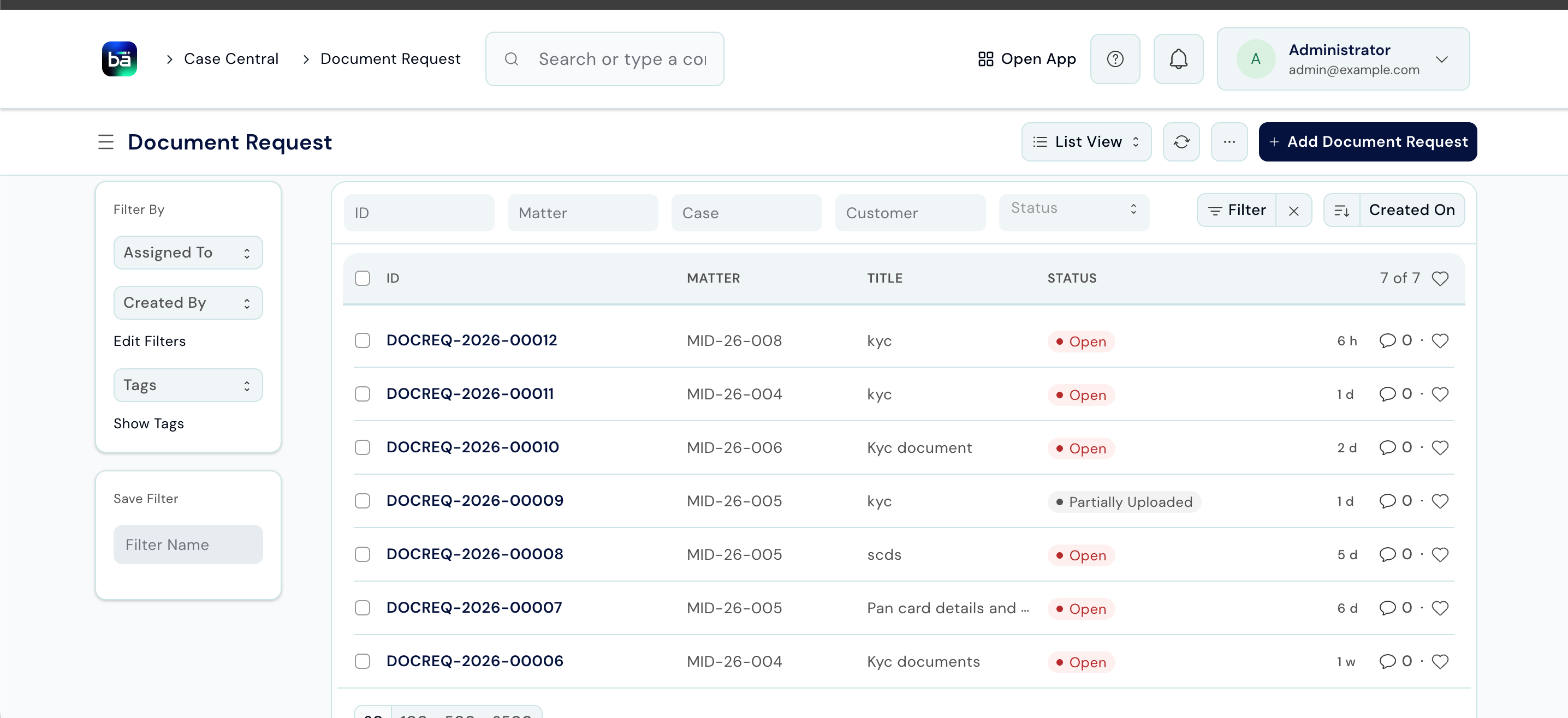
| Field | Description |
| ------------ | -------------------------------------------------------------------------------------------------- |
| **Matter** | The matter this request relates to. |
| **Case** | Optional - narrow the request to a specific case of the matter. |
| **Customer** | Auto-populated from the linked matter's client. |
| **Title** | A label describing what's being requested (e.g. "Signed Vakalatnama", "Bank Statements for FY24"). |
| **Due Date** | When the documents are needed by. |
| **Status** | `Open` by default; updates to `Partially Uploaded` as documents come in. |
| **Notes** | Any additional details about what's needed or context for the request. |
 ***
## Tips
* **Set up Lawyer Schedules before the team starts booking appointments.** Attempting to book an appointment without a schedule results in no available slots showing.
* **Use Appointment Type colours** to distinguish meeting categories in the calendar - for example, red for urgent consultations and green for routine reviews.
* **Log Timesheets daily**, not weekly. Same-day entries are faster and far more accurate than reconstructing a week from memory.
* **Set a Due Date on every Document Request.** Without one, outstanding client documents are easy to lose track of.
* **Update appointment Status to No Show** if a client misses a meeting without cancelling. This keeps your booking record accurate and helps identify patterns.
***
## Tips
* **Set up Lawyer Schedules before the team starts booking appointments.** Attempting to book an appointment without a schedule results in no available slots showing.
* **Use Appointment Type colours** to distinguish meeting categories in the calendar - for example, red for urgent consultations and green for routine reviews.
* **Log Timesheets daily**, not weekly. Same-day entries are faster and far more accurate than reconstructing a week from memory.
* **Set a Due Date on every Document Request.** Without one, outstanding client documents are easy to lose track of.
* **Update appointment Status to No Show** if a client misses a meeting without cancelling. This keeps your booking record accurate and helps identify patterns.