> ## Documentation Index
> Fetch the complete documentation index at: https://docs.bizaxl.com/llms.txt
> Use this file to discover all available pages before exploring further.
# Getting Around
> Find your way around BIZ Cafe - the Desk workspace for managers, the guest storefront, and the staff console, with what each role can reach.
BIZ Cafe is used through three places: a Desk workspace for managers and administrators, a guest storefront for customers, and a staff console for the team working the floor. This page shows you where each lives and what you can do there.
***
## The Desk Workspace
The **BIZ Cafe** workspace is your back-office home. Open it from the Bizaxl Desk at `/app/biz-cafe`. It gives administrators a single place to manage the café and review performance.
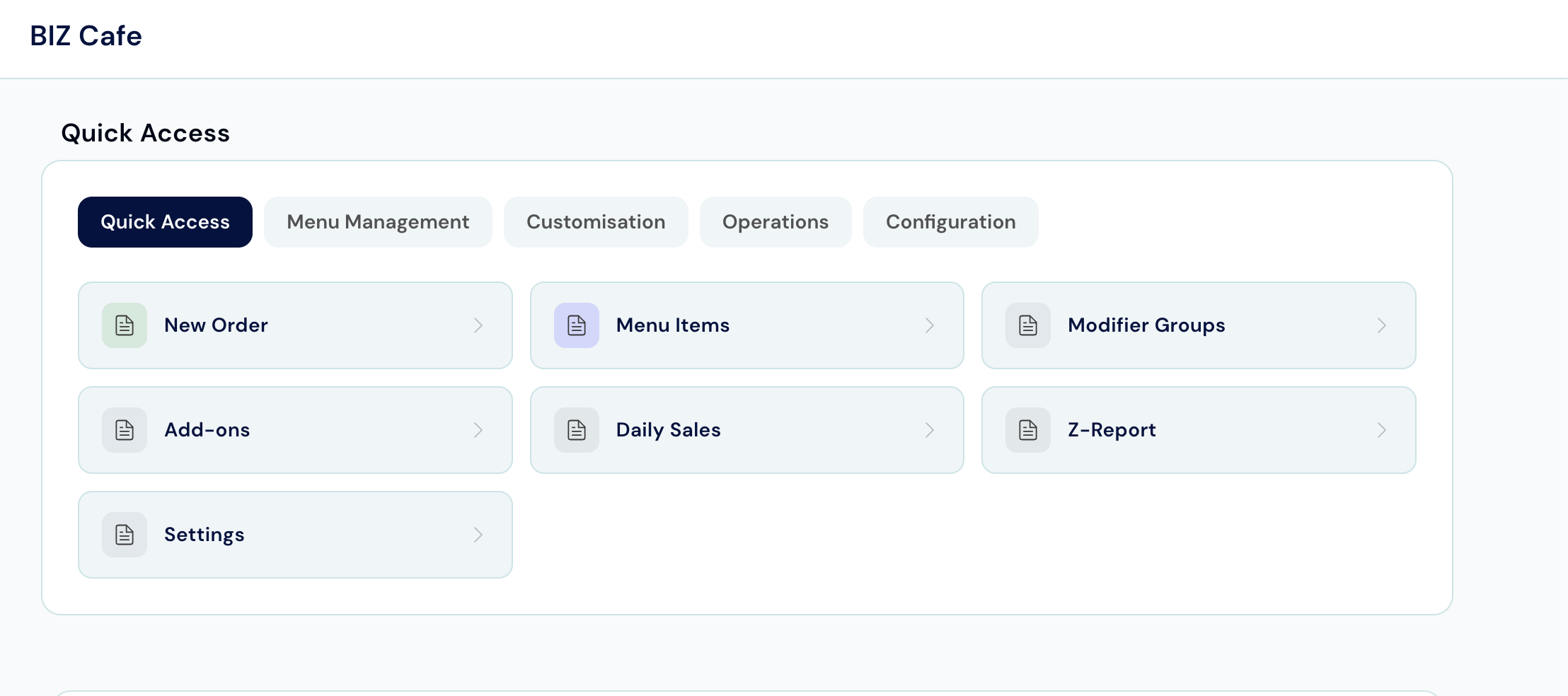 From the workspace you can reach:
| Shortcut | What It Opens |
| ---------------------- | ---------------------------------------------------------------- |
| **New Order** | Start a new café order |
| **Menu Items** | The list of items you sell |
| **Modifier Groups** | Choice sets attached to items (for example, milk type) |
| **Add-ons** | Optional extras a guest can add |
| **Daily Sales report** | The Cafe Daily Sales report |
| **Z-Report** | The Cafe Session Report for shift totals and cash reconciliation |
| **Settings** | Café Settings, including marketing and branding |
The workspace also shows the **Order Journey** pipeline, a visual progression of an order from `Order Placed` to `Invoice` to `Feedback`. See [The Order Journey](/hospitality-leisure/cafe/workflow) for the full lifecycle.
The Desk workspace and the reports are available to the Cafe Admin role. Cashiers and kitchen staff work from the web apps described below.
***
## The Guest Storefront
The storefront at `/cafe` is the customer-facing ordering app. Guests reach it by scanning the QR code at their table, and they never need to log in.
From the workspace you can reach:
| Shortcut | What It Opens |
| ---------------------- | ---------------------------------------------------------------- |
| **New Order** | Start a new café order |
| **Menu Items** | The list of items you sell |
| **Modifier Groups** | Choice sets attached to items (for example, milk type) |
| **Add-ons** | Optional extras a guest can add |
| **Daily Sales report** | The Cafe Daily Sales report |
| **Z-Report** | The Cafe Session Report for shift totals and cash reconciliation |
| **Settings** | Café Settings, including marketing and branding |
The workspace also shows the **Order Journey** pipeline, a visual progression of an order from `Order Placed` to `Invoice` to `Feedback`. See [The Order Journey](/hospitality-leisure/cafe/workflow) for the full lifecycle.
The Desk workspace and the reports are available to the Cafe Admin role. Cashiers and kitchen staff work from the web apps described below.
***
## The Guest Storefront
The storefront at `/cafe` is the customer-facing ordering app. Guests reach it by scanning the QR code at their table, and they never need to log in.
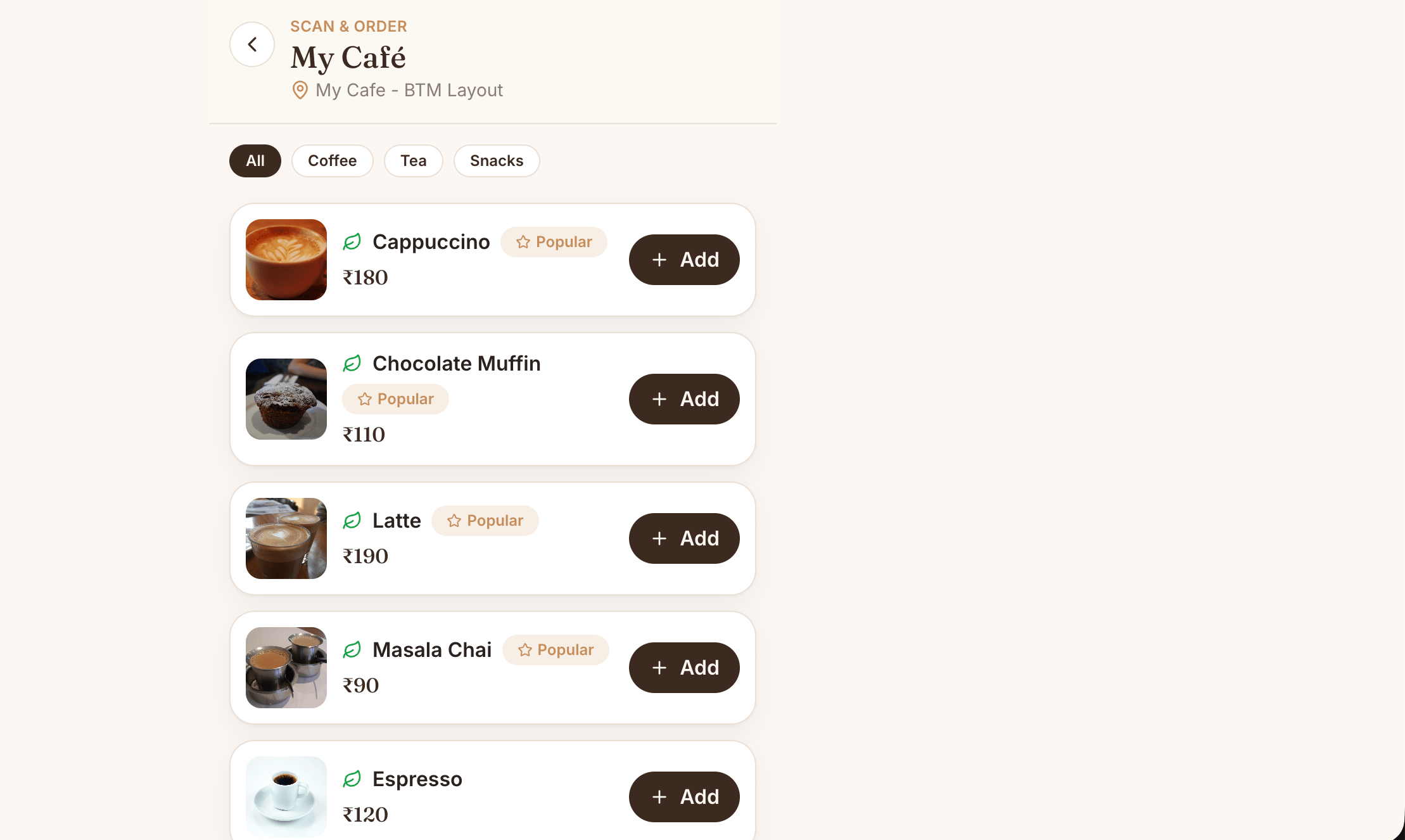 | Page | Route | What Happens There |
| ---------------- | --------------------- | -------------------------------------------------------- |
| **Menu** | `/cafe` | Browse items by category |
| **Cart** | `/cafe/cart` | Review and adjust the order |
| **Checkout** | `/cafe/checkout` | Enter details and choose to pay online or at the counter |
| **Order Status** | `/cafe/order/` | Track the order by its token and download a receipt |
| **Feedback** | `/cafe/feedback` | Rate the order and leave comments |
See [QR Self-Ordering](/hospitality-leisure/cafe/qr-self-ordering) for the full guest flow.
***
## The Staff Console
The staff console at `/cafe-ops` is where the team works. It requires a login, and each page is limited to the roles that need it.
| Page | Route | What Happens There |
| ---------------- | --------------------- | -------------------------------------------------------- |
| **Menu** | `/cafe` | Browse items by category |
| **Cart** | `/cafe/cart` | Review and adjust the order |
| **Checkout** | `/cafe/checkout` | Enter details and choose to pay online or at the counter |
| **Order Status** | `/cafe/order/` | Track the order by its token and download a receipt |
| **Feedback** | `/cafe/feedback` | Rate the order and leave comments |
See [QR Self-Ordering](/hospitality-leisure/cafe/qr-self-ordering) for the full guest flow.
***
## The Staff Console
The staff console at `/cafe-ops` is where the team works. It requires a login, and each page is limited to the roles that need it.
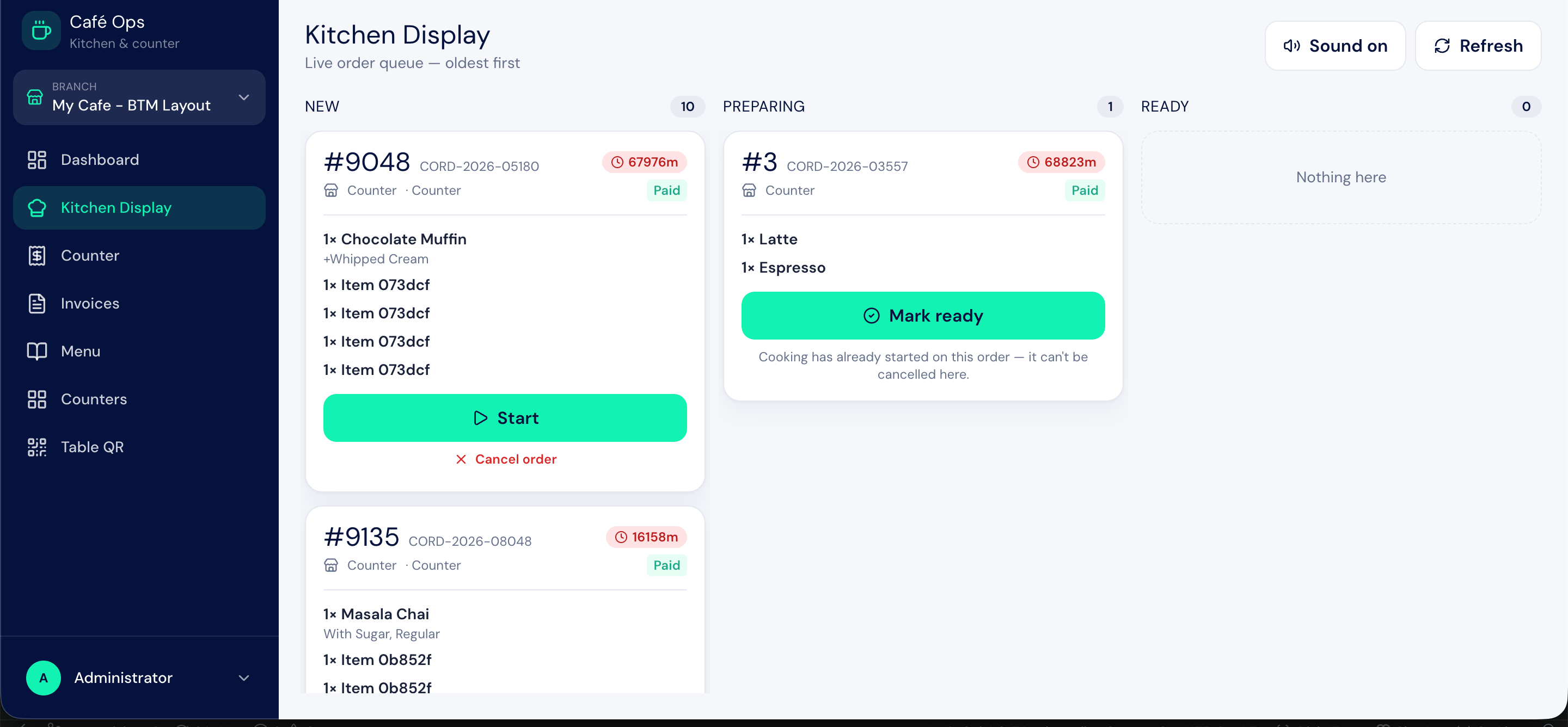 | Page | Route | Who Can Use It |
| ------------------- | --------------------- | -------------------------------------- |
| **Dashboard** | `/cafe-ops/dashboard` | Cafe Admin |
| **Kitchen Display** | `/cafe-ops/kitchen` | Cafe Admin, Cafe Cashier, Cafe Kitchen |
| **Counter** | `/cafe-ops/counter` | Cafe Admin, Cafe Cashier |
| **Menu management** | `/cafe-ops/menu` | Cafe Admin |
| **Invoices** | `/cafe-ops/invoices` | Cafe Admin, Cafe Cashier |
***
## Who Reaches What
| Role | Desk Workspace | Dashboard | Menu Management | Counter | Kitchen | Invoices | Till Open/Close |
| ------------------ | -------------- | --------- | --------------- | ------- | ------- | -------- | --------------- |
| **Cafe Admin** | Yes | Yes | Yes | Yes | Yes | Yes | Yes |
| **Cafe Cashier** | No | No | No | Yes | Yes | Yes | Yes |
| **Cafe Kitchen** | No | No | No | No | Yes | No | No |
| **Guest customer** | No | No | No | No | No | No | No |
***
## How This Fits with Bizaxl and BAS
BIZ Cafe runs on the Bizaxl platform and uses the BAS base application underneath. The accounting, tax, and stock records that café sales feed into are standard Bizaxl and BAS records. If you want to understand the underlying ledger, tax setup, or inventory mechanics, see the shared [Bizaxl](/bizaxl/introduction) and [BAS](/bas/introduction) docs. The café pages here focus on what is specific to running a café.
***
## Best Practices
* **Bookmark the page you live in.** Cashiers should bookmark `/cafe-ops/counter`; the kitchen should bookmark `/cafe-ops/kitchen`.
* **Print fresh QR codes when the menu route changes.** The QR code points guests to the storefront, so keep it current.
* **Use the workspace for review, not billing.** Day-to-day billing happens at the counter; the workspace is for setup and reporting.
| Page | Route | Who Can Use It |
| ------------------- | --------------------- | -------------------------------------- |
| **Dashboard** | `/cafe-ops/dashboard` | Cafe Admin |
| **Kitchen Display** | `/cafe-ops/kitchen` | Cafe Admin, Cafe Cashier, Cafe Kitchen |
| **Counter** | `/cafe-ops/counter` | Cafe Admin, Cafe Cashier |
| **Menu management** | `/cafe-ops/menu` | Cafe Admin |
| **Invoices** | `/cafe-ops/invoices` | Cafe Admin, Cafe Cashier |
***
## Who Reaches What
| Role | Desk Workspace | Dashboard | Menu Management | Counter | Kitchen | Invoices | Till Open/Close |
| ------------------ | -------------- | --------- | --------------- | ------- | ------- | -------- | --------------- |
| **Cafe Admin** | Yes | Yes | Yes | Yes | Yes | Yes | Yes |
| **Cafe Cashier** | No | No | No | Yes | Yes | Yes | Yes |
| **Cafe Kitchen** | No | No | No | No | Yes | No | No |
| **Guest customer** | No | No | No | No | No | No | No |
***
## How This Fits with Bizaxl and BAS
BIZ Cafe runs on the Bizaxl platform and uses the BAS base application underneath. The accounting, tax, and stock records that café sales feed into are standard Bizaxl and BAS records. If you want to understand the underlying ledger, tax setup, or inventory mechanics, see the shared [Bizaxl](/bizaxl/introduction) and [BAS](/bas/introduction) docs. The café pages here focus on what is specific to running a café.
***
## Best Practices
* **Bookmark the page you live in.** Cashiers should bookmark `/cafe-ops/counter`; the kitchen should bookmark `/cafe-ops/kitchen`.
* **Print fresh QR codes when the menu route changes.** The QR code points guests to the storefront, so keep it current.
* **Use the workspace for review, not billing.** Day-to-day billing happens at the counter; the workspace is for setup and reporting.